
A 3D product animation is the version of your product that does what the real one can’t — slice itself open, float in space, run a full assembly cycle in eight seconds, and never look greasy under the studio lights. We build these for ad campaigns, trade-show loops, explainer videos, crowdfunding pages, and investor pitches. We handle the full run: modeling, lighting, motion, sound design, the lot.
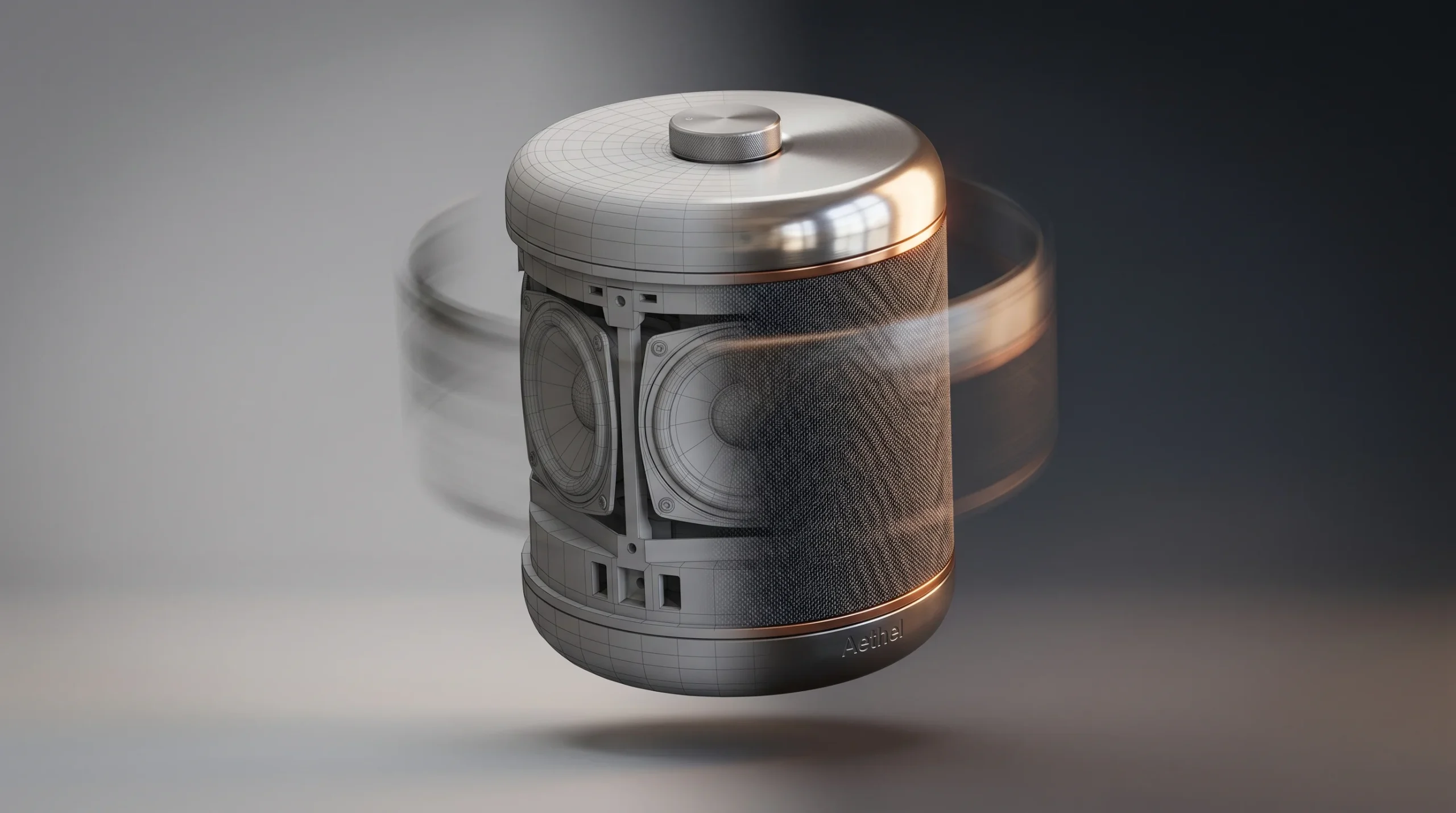
This page covers how we actually approach 3D product animation, what you get back, and where the work pays off. If you’ve landed here looking for a static product still, that’s a different brief — but the pipelines overlap, and we do both.
What we mean by 3D product animation
Live-action product video has its place. It also has a ceiling. You can’t film inside a sealed enclosure. You can’t dolly through a cross-section of a pump. You can’t make a coffee machine elegantly disassemble itself mid-shot without a small army of fabricators and a week of cleanup. CGI doesn’t have those limits.
Our 3D product animation work tends to land in one of a few buckets:
- Hero product films — 20-to-60-second pieces for the homepage, a launch, or a paid campaign. Camera moves, dramatic lighting, the product as the only thing on screen.
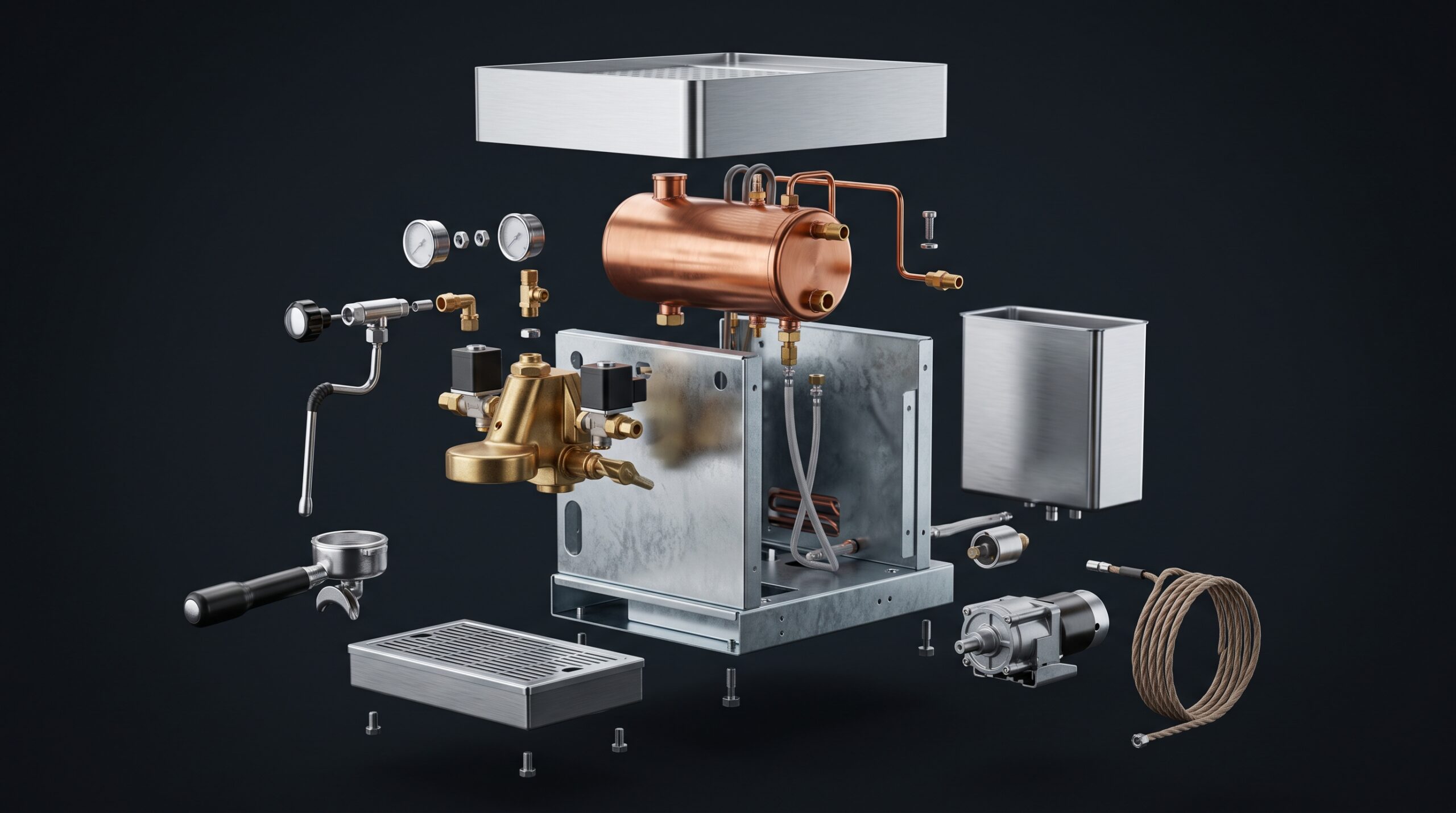
- Explainer animations — how the thing works. Cutaways, exploded views, callouts, sometimes a voiceover. Used heavily by industrial and machinery clients who need to show internal mechanisms a camera physically can’t reach.
- Ad-ready commercials — short, punchy spots intended for TV, pre-roll, or social. These usually need delivery in multiple aspect ratios.
- Loop animations — silent, looping, designed for trade-show monitors and product pages. They run on a kiosk all day without anyone noticing the cut.
- Trade-show and pitch decks — animation embedded into a presentation, often paired with stills from the same scene.
Most projects sit somewhere between two of these. A client asks for a hero film, then once they see it they want a 6-second cutdown for Instagram and a silent 30-second loop for the booth. Good. Same scene, three deliverables.
The pipeline, honestly
Most studios describe their workflow as if the client hands them a brief and a fully formed video comes out the other side. That’s not how it goes. There’s a lot of back-and-forth before anyone presses render.
1. Brief and reference
We need: CAD files or geometry references, material/finish callouts, brand assets, and a sense of what the video is for. The use case shapes everything. A Kickstarter video is structured differently from a CES booth loop. A B2B explainer for a machinery distributor needs different pacing than a DTC ad.
2. CAD cleanup and modeling
If you have a STEP, OBJ, or native CAD file, we import it, strip out what the camera will never see, and rebuild what won’t survive subdivision. Engineering CAD is rarely ready for rendering — it’s full of unsealed shells, inverted normals, and parts modeled as splines that look fine in a viewport and explode in a renderer. We deal with that.
If you don’t have a model, we build one from drawings, photos, or physical samples. Either way the goal is a clean asset that can hold up under close-up cameras.
3. Materials and lighting
This is where most product animations get won or lost. Brushed aluminum that actually reads as brushed aluminum. Glass that doesn’t look like cheap plastic. The right HDRI for a studio look versus a context shot. Materials get built first as still tests — once those are signed off, we move into motion.
4. Animatic and camera blocking
Before we animate anything seriously, we lock down camera moves and timing with a rough animatic. It looks crude — clay-shaded geometry, no materials, sometimes no lights — and that’s the point. Half the value of a clay animatic is that everyone shuts up about texture choices until the camera angle is locked. Most clients save real money here, because revisions at this stage are cheap.
5. Animation
Now the work that everyone wants to skip to. Keyframe-driven, mostly. For mechanical products with real motion (gears, pistons, sliding mechanisms), the animation comes off the engineering geometry where it can. For abstract or stylized motion — labels peeling off, particles, hero “money shots” — it’s all hand-keyed.
6. Rendering
3ds Max with Corona, mostly. We render in passes so we can adjust the look in compositing without going back for another full pass. A 30-second piece at 4K isn’t a small render. Plan accordingly.
7. Compositing, sound, finishing
After Effects and Premiere for the final assembly. Color, grading, sound design, music licensing if needed, voiceover sync, lower thirds, brand stings. The piece gets delivered in the formats you asked for: ProRes master, H.264 web, vertical and square crops, frame stills for the product page.
Where it earns its keep
Animation isn’t always the right answer. For a simple product on a white background, a clean still or a turntable does the job. But there are situations where the math obviously favors CGI:
- The product doesn’t exist yet. Crowdfunding, pre-launch campaigns, investor decks — you can’t photograph a prototype that’s still being tooled.
- The product is too big to film well. Industrial machinery, construction equipment, large appliances. Even when you can film them, the lighting alone costs more than the animation.
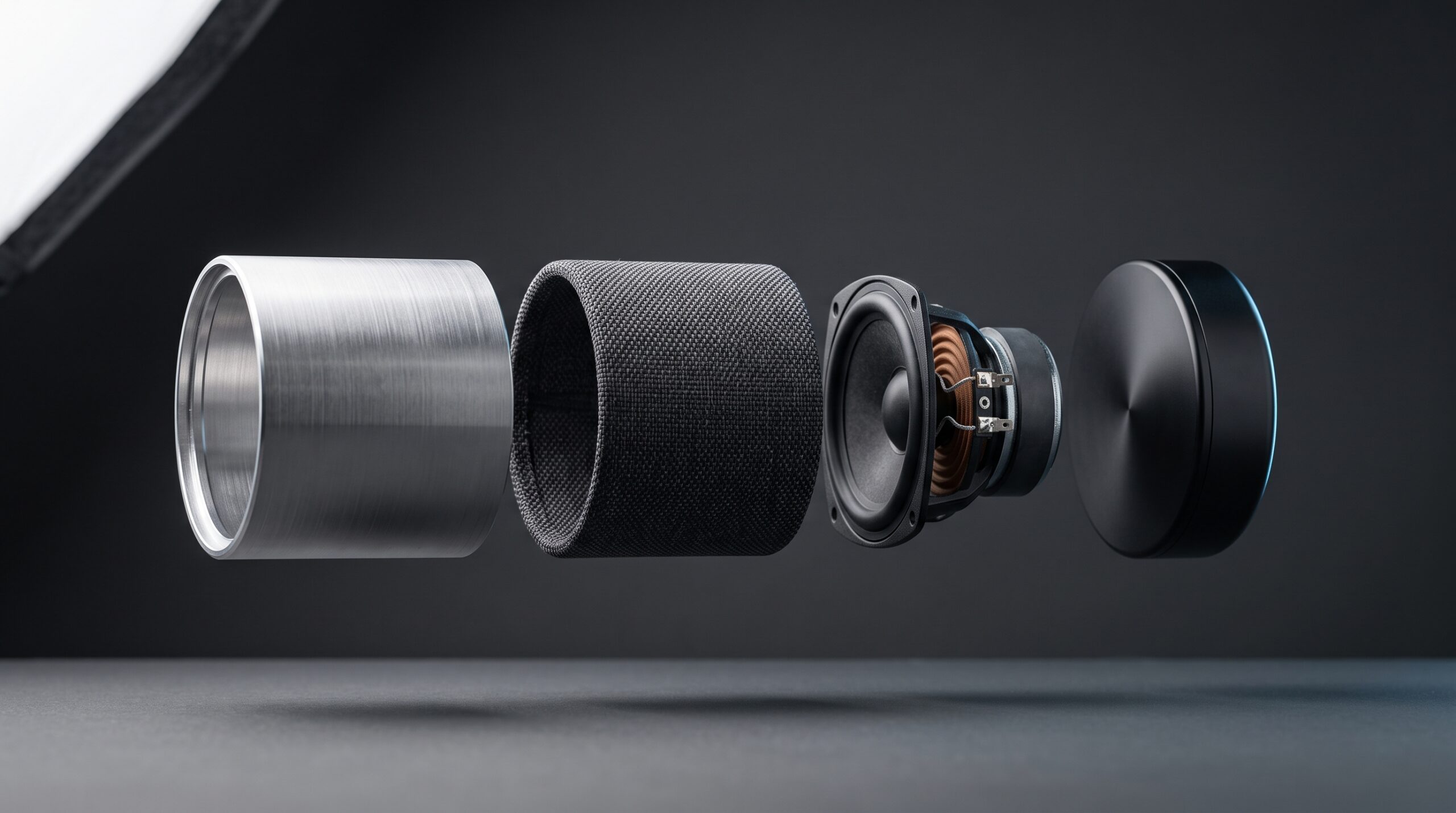
- The story is inside the product. Cutaways of pumps, motors, filtration systems, anything where what matters isn’t visible from outside.
- You need multiple SKUs in the same shot. A full product range filmed cleanly costs a fortune. Modeled once, rerendered cheaply.
- You need the same scene re-cut for ten markets. Swap copy, swap voiceover, swap color variants. Live-action doesn’t bend that way.
If your project is none of these — a small product, available now, with a real photographer down the street — say so. We’ll tell you honestly whether CGI is the better path.
What you receive
Standard deliverables on a product animation job:
- Master video file (ProRes or DNxHD) at agreed resolution and frame rate
- Web-ready H.264 encodes in the aspect ratios you specified
- Optional silent loop versions for kiosks and product pages
- Hero stills pulled from the same scene, render-quality
- Source project files on request, depending on the contract
If you need additional cutdowns, social variants, or alternate-language versions later, they come out of the same scene file. That’s a real advantage with CGI work — you’re not back at square one when the brief shifts.
Tools and stack
We’re not religious about software, but we do have a working setup:
- 3ds Max — modeling, scene assembly, animation
- Corona Renderer — primary rendering engine
- Blender — secondary modeling and specialized work
- ZBrush — when organic detail or sculpting is needed
- After Effects — compositing, motion graphics, callouts
- Premiere Pro — editing, sound, final delivery
If the project calls for it, we’ll bring in real-time tools — game engines work well for interactive product viewers and for very fast iteration. For broadcast-quality finals, traditional offline rendering still wins on quality.
Who we work with on product animation
Most of our product animation work comes from a few audiences:
- Product manufacturers — consumer goods, industrial equipment, machinery, components.
- Marketing teams and agencies with a product client who needs better assets than the in-house team can produce.
- Hardware startups getting ready to launch — pre-production, no physical inventory, an animation is the only way to show the product working.
- Distributors and resellers who carry products their suppliers haven’t bothered to film properly.
If you’re a brand, a marketing director, or a producer at an agency, the path is short. If you’re an engineer in a manufacturer who has been told to “get some video done,” the path is short too — bring the CAD files, we’ll figure out the rest.
A note on cost and complexity
We don’t post prices because every brief moves the budget. A clean 30-second hero film with one product, three camera moves, and simple sound design is one thing. A 90-second explainer with six SKUs, exploded views, voiceover, and three language variants is another. The honest first step is a short call so we can size the work properly.
One thing worth knowing: most of the cost lives in modeling, materials, and the first sign-off. Once a scene is built and approved, additional cuts and variants are dramatically cheaper. Clients who plan a campaign around the animation — not just a single video — get more out of every dollar.
Where this fits with the rest of our work
Product animation overlaps cleanly with our other services. If you also need still 3D product visualization for the website, packaging, or print, the same models do the job. If your product lives inside a built environment — appliances in a kitchen, equipment on a job site — our 3D animation studio can build the surrounding scene as well. And if you’re considering an interactive viewer for the product page, our work in interactive 3D and WebGL can pick up from the same source assets.
Over 2 decades of project work and 1,500+ deliveries means we’ve seen most of the situations a product animation brief can throw at a studio. Not all of them — but most. Surprises are rare.