
A 3D view of building design is, in plain terms, a photoreal image of a building that doesn’t exist yet. Drawings show what’s there. A render shows how it will feel. That’s the gap it closes — and it’s why most developers, builders, and architects stop relying on elevations alone the moment they have one project that goes sideways at the approval stage.
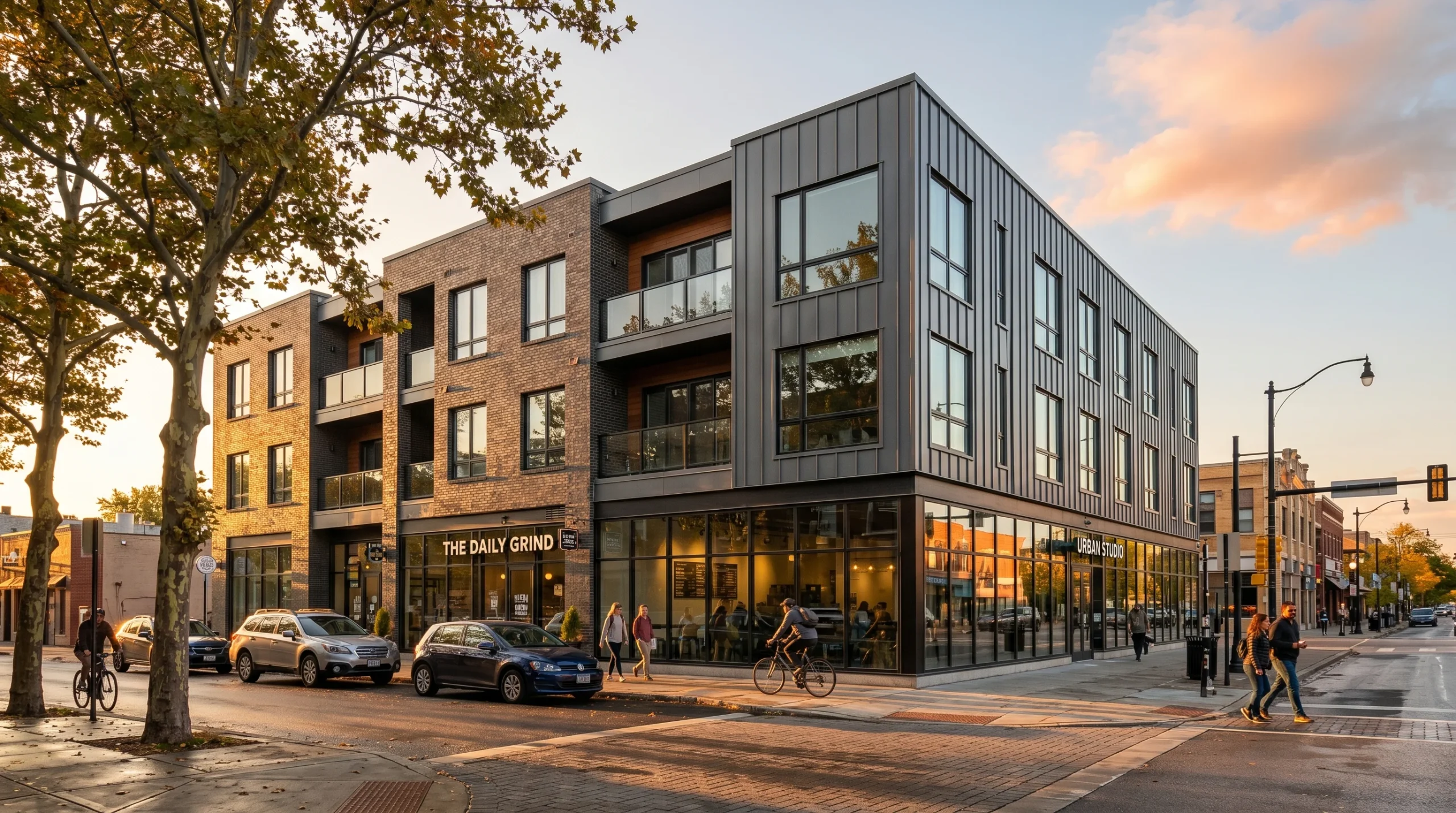
This article is about what actually goes into producing that image, what to send a studio if you want one, and when commissioning a render helps versus when it’s premature. We’ve delivered 1,500+ projects over 2 decades across residential, commercial, and mixed-use work, so most of what’s here comes from patterns we’ve seen play out over and over.
What a 3D view of building design actually is
A 3D model of the building is built inside software like 3ds Max — geometry first, then materials, then lighting, then a camera. From that scene, an artist outputs still images, a sequence of stills (an animation), or a 360 panorama. The “3D view” most clients ask for is the first one: a still image, usually exterior, shot from a hero angle that the marketing team or the planning consultant has already decided on.
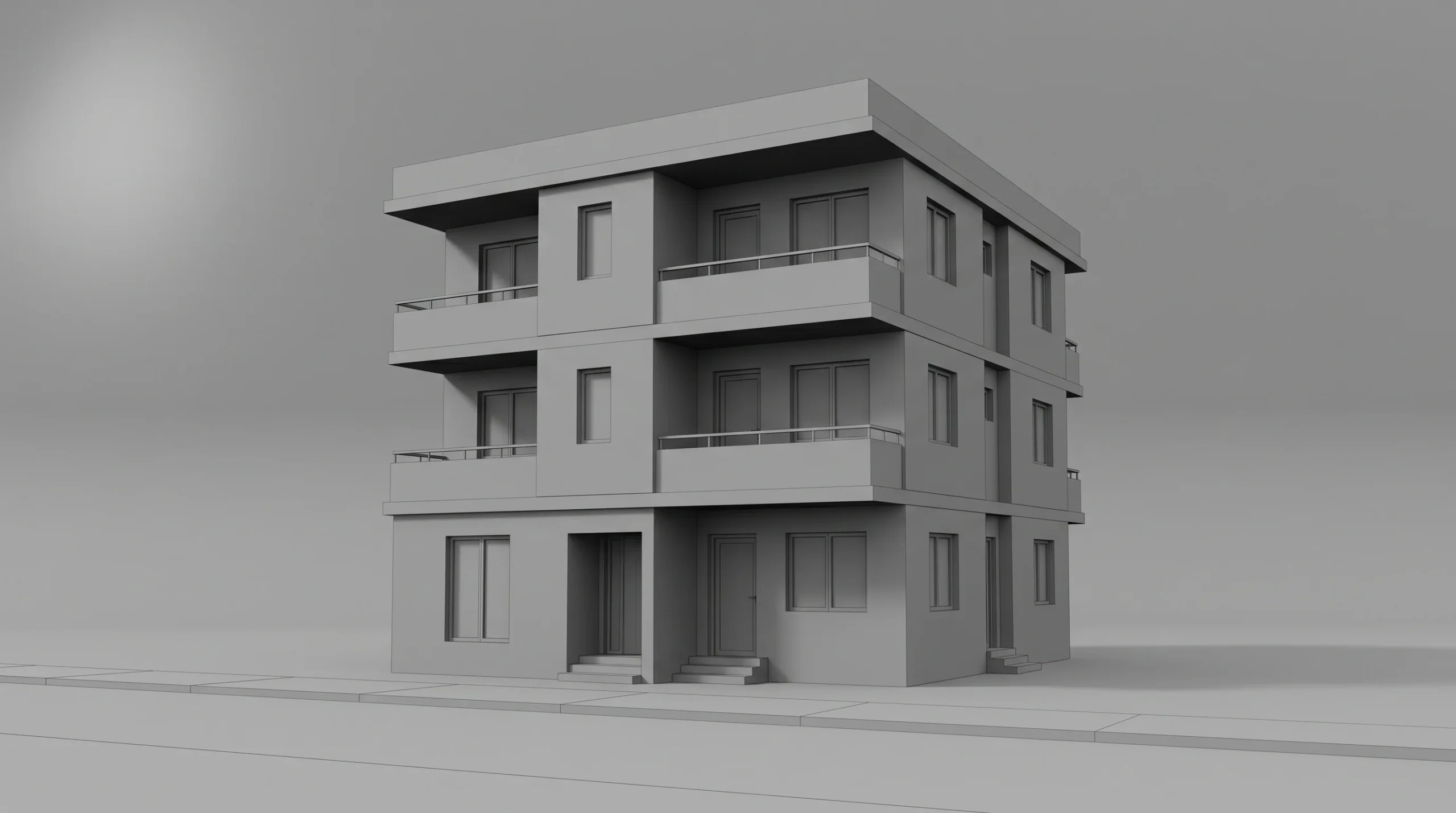
The level of detail is a slider, not a setting. At one end, a clean massing study in grey clay — no textures, no landscaping, just shape and proportion. At the other end, a full photoreal exterior at golden hour with cars in the driveway, people on the sidewalk, and a sky that matches the latitude of the site. Most projects sit somewhere in the middle, and most of the budget conversation is really a conversation about where on that slider you want to land.
Why a render reads where a drawing doesn’t
Most investors won’t spend an hour decoding elevations and sections. Neither will most planning committee members. Neither will most end-buyers walking into a sales suite. They want to look at one image and feel whether the building belongs on the site.
That’s the practical case for visualization. A render packages height, massing, materials, fenestration, landscape integration, and time-of-day into a single frame. We’ve seen projects lose momentum simply because nobody outside the design team could understand the drawings. Whether you’re pitching off-plan apartments or asking a council for a height variance, a single accurate exterior often answers more questions than the entire drawing package sitting next to it.
A few of the actual outputs developers and builders ask us for:
- Hero exterior renders for sales brochures, hoardings, and websites
- Daylight + dusk variants of the same camera — surprisingly cheap to deliver as a pair, surprisingly persuasive
- Aerial / contextual views showing the building inside its block or masterplan
- Interior renders of a representative apartment or amenity space
- Walkthrough animations when stills aren’t enough — sales suites, off-plan launches, investor pitches
- 360 panoramas for VR headsets or embedded tour viewers
How a 3D view of building design actually gets made
The pipeline isn’t mysterious. What separates a clean image from a muddy one is mostly discipline at the start of the project, not a magic button at the end.
1. Reference and brief
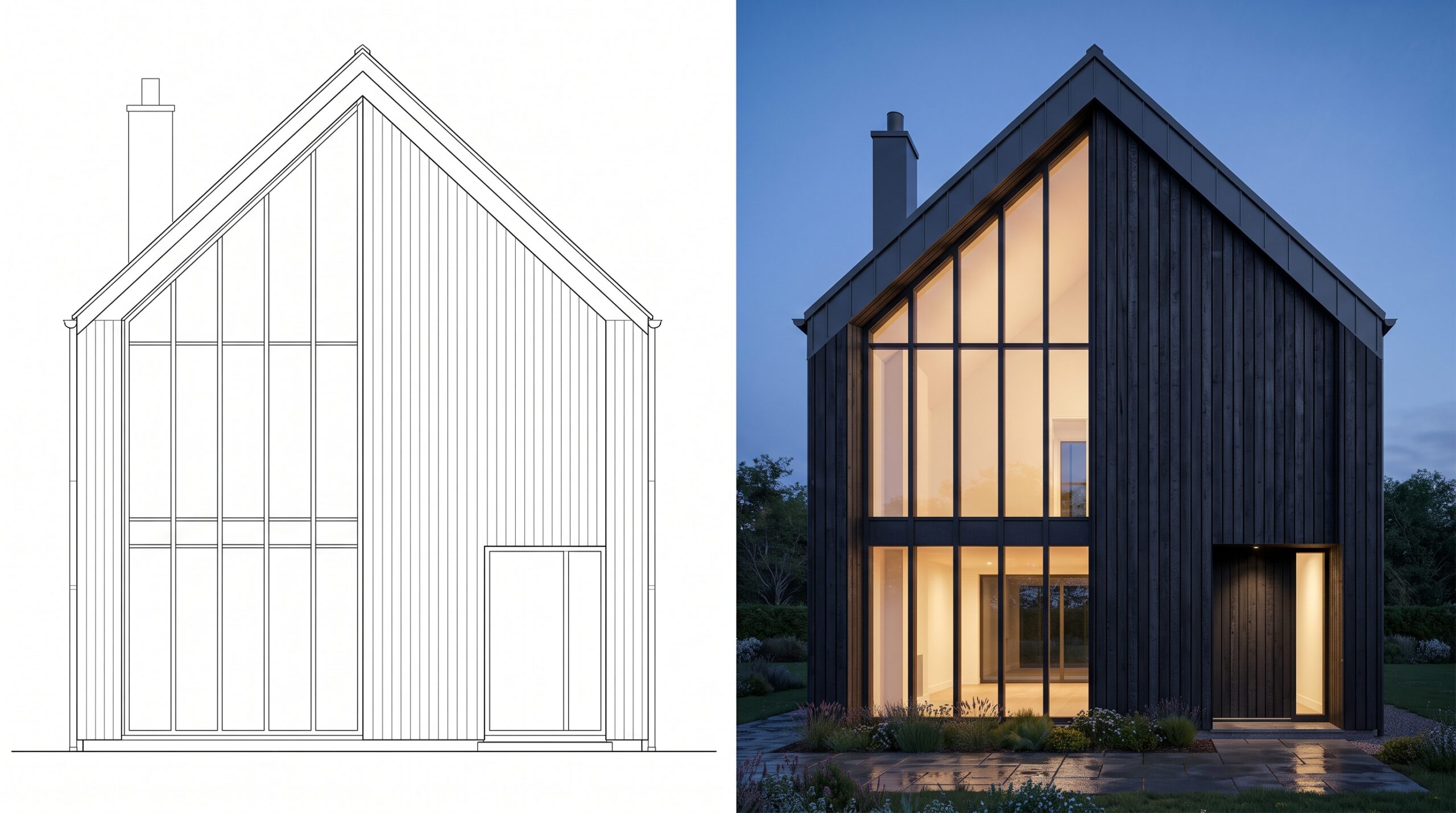
The studio needs: floor plans, elevations, sections, a site plan or location image, material call-outs (or a moodboard if specs aren’t fixed yet), and the camera angle you want. PDFs work. DWGs are better. Revit files are best. If you don’t yet know the angle, say so — picking it together is part of the job.
2. Modeling
Geometry gets built in 3ds Max — sometimes from scratch, sometimes by importing the architect’s Revit or CAD as a base and rebuilding the visible elements to render-quality. The bits the camera will never see don’t get modeled. Anyone telling you otherwise is selling hours, not images.
3. Clay render and camera lock
Before any materials get applied, we send a grey untextured view from the agreed camera. This is where the angle, composition, lens, and framing get locked. Half the value of a clay render is that everyone shuts up about texture choices until the camera angle is settled. It also catches scale problems — windows that look right on the elevation but feel cramped in perspective.
4. Materials, lighting, environment
Brick, render, glazing, metal, timber, paving. Sun position and time of day. Sky, surrounding trees, background buildings, people, cars. Corona Renderer is what we run inside 3ds Max — physically based, reasonably forgiving, and the de facto standard in architectural visualization for a reason.
5. Draft, review, revise, final
One round of draft images, written feedback, a revision pass, then the final. Serious projects always have some change orders, but most of them happen in the clay-render stage if the process was run properly.
What to send if you want a good render back
The fastest jobs are the ones where the package is complete on day one. The slowest ones are the ones where materials are still being decided when modeling has already started.
- Floor plans, elevations, sections — PDF or DWG
- Site plan or a clean aerial of the location
- Material specification — or a moodboard with reference images if specs aren’t locked
- The output you actually need: print resolution, web image, animation length, panorama vs still
- Any time-of-day or weather constraint that’s marketing-driven (dusk shots sell apartments)
- The deadline that matters — the planning submission, the sales-suite opening, the pitch
If something on that list doesn’t exist yet, say so. A studio that’s done this enough times will tell you whether to wait or start anyway.
When to commission a 3D view of building design — and when to wait
Commission early when:
- The decision-makers aren’t designers and need to see the building, not read it
- You’re pitching off-plan units and have nothing physical to show
- A planning officer or community board has signalled concern about massing or materials
- Investors are weighing two or three options and you need each to look its best
Wait when:
- The footprint is still moving — modeling now means modeling twice
- Material palette is genuinely open and you’d be guessing
- You only have a napkin sketch — a designer needs to land the scheme first, then visualization runs on top of it
Software, briefly
Our day-to-day stack for a 3D view of building design is 3ds Max for modeling and Corona Renderer for output, with Revit and AutoCAD on the input side. Archicad files come in sometimes — they get translated to a workable format and rebuilt where the geometry is too dense or too clean for rendering work. The tool isn’t the differentiator. The discipline around the brief, the camera, and the revision count is.
If you’re a builder or developer trying to figure out how visualization fits across exteriors, interiors, animation, and 360 tours, this overview of how visualization actually helps builders covers the same ground from the project-delivery angle. If the camera needs to move, our notes on what drives architectural animation cost are useful before you brief one. And if the project really needs an immersive walkthrough rather than stills, see the production notes on 3D walkthrough services.