
An architectural CGI company turns drawings, models, and reference photos into images and animations a non-architect can understand at a glance. That’s the whole point. Most investors won’t spend an hour decoding elevations and sections — they want to see the building, walk through the lobby, look out the window. We’ve been one of those architectural CGI companies for over 2 decades, with 1,500+ projects on the books, so this article is the version we’d tell a client on the first call, not the version written for search engines.
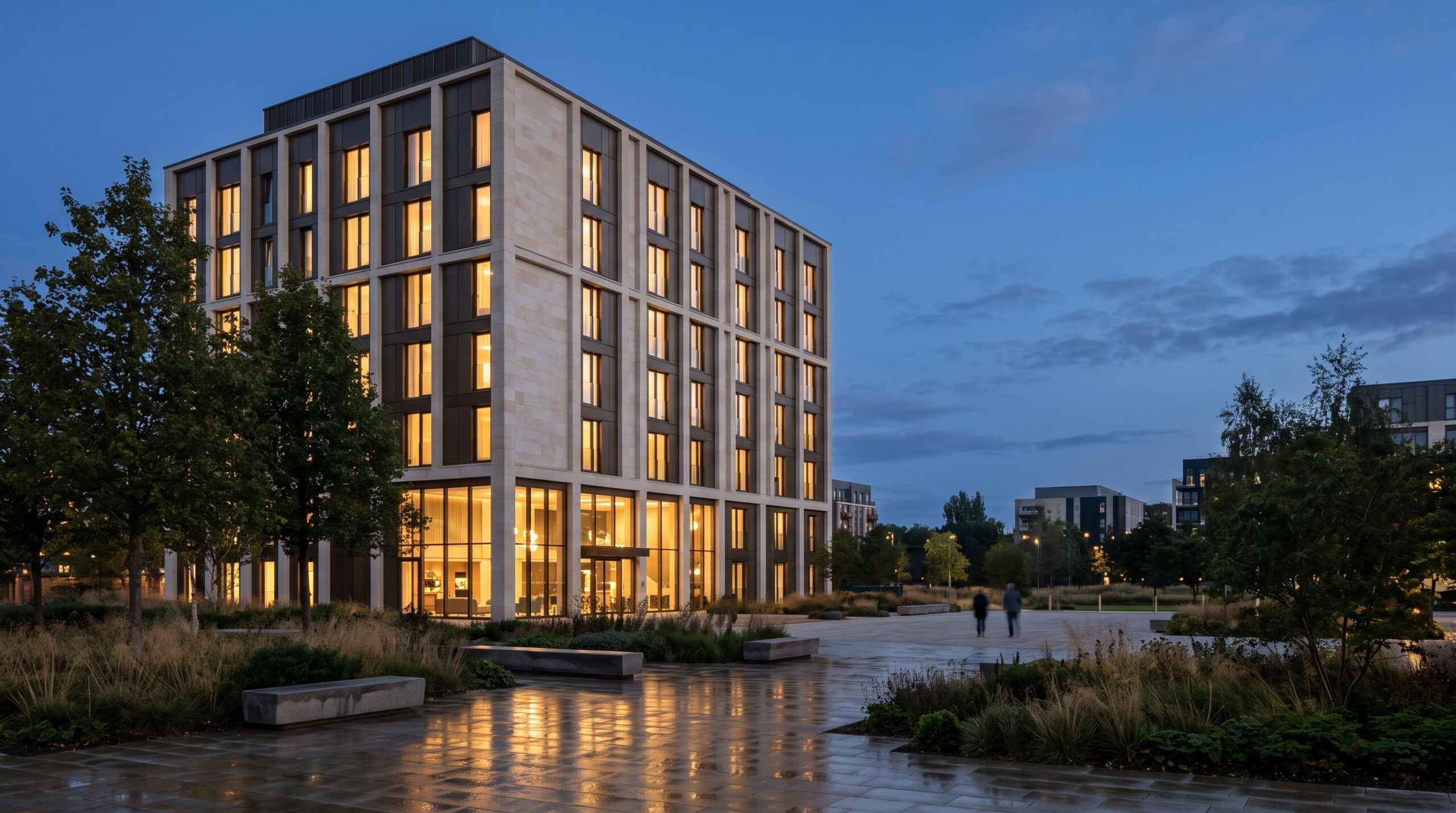
If you’re a developer, builder, architect, or real-estate marketer looking at studios right now, the rest of this page is for you. We’ll cover what these studios actually produce, how the process tends to go, where things break down, and what to ask before you sign.
CGI company, architectural visualization studio, 3D rendering firm — same thing?
Mostly, yes. “Architectural CGI” is the term British and European developers tend to use, “architectural visualization” — archviz — is what the industry calls itself, and “3D rendering company” is the American search default. No certification sits behind any of the labels; the same studio will answer to all three. Two practical consequences. First: when you shortlist, search all the names — plenty of strong studios only market under one of them, and the best match for your project may be invisible under the term you happened to type. Second: the label tells you nothing about focus. What separates an architectural visualization company from a generalist 3D shop isn’t the name on the website — it’s whether buildings are the daily work. A generalist will model your tower competently and still miss what a planning committee or an off-plan buyer needs to see, because that knowledge lives in repetition, not in software.
What an architectural CGI company actually delivers
The umbrella term hides a fairly long list. Most projects pull from a few of these — almost none use all of them at once.
- Exterior renderings — photoreal stills of a building in its real context. Single-family villas, mid-rise residential, mixed-use developments, masterplans. Used in brochures, billboards, planning submissions, investor decks.
- Interior renderings — kitchens, living rooms, lobbies, hospitality spaces, offices. For pre-sales and design sign-off both.
- Architectural animation — flythroughs, walkthroughs, cinematic marketing videos. Sometimes pre-rendered, sometimes real-time game-engine output.
- 360° virtual tours — spherical scenes a viewer can explore in a browser or VR headset. Cheap to host, easy to embed on a sales page.
- Interactive web apps — WebGL-based unit configurators, finish selectors, browser-embedded 3D models. Few studios actually do this. Most don’t.
- Concept and planning visuals — earlier-stage, less finished images used to test ideas with stakeholders before committing to a direction.
Different audiences need different deliverables. A developer pre-selling apartments wants exterior hero shots, interior renderings of two or three model units, and probably a flythrough. An architect presenting to a planning committee wants accurate massing, context, and shadow studies. A marketing agency wants images that sit cleanly inside their brand template. Same studio, different output.
How the process tends to actually run
Studios describe their process in tidy phase diagrams — brief, modeling, draft, revisions, final. The reality has more friction. Here’s the honest version.
- Brief and references. You send drawings (DWG, PDF, Revit, SKP — whatever you have), reference images of the look you’re after, a list of camera angles, and the deadline. Already at this stage, half the projects we take in are missing something.
- Modeling and camera setup. The team builds the 3D scene and proposes camera angles. This is the single most important review moment in the whole project. Lock the angle now or pay for it later.
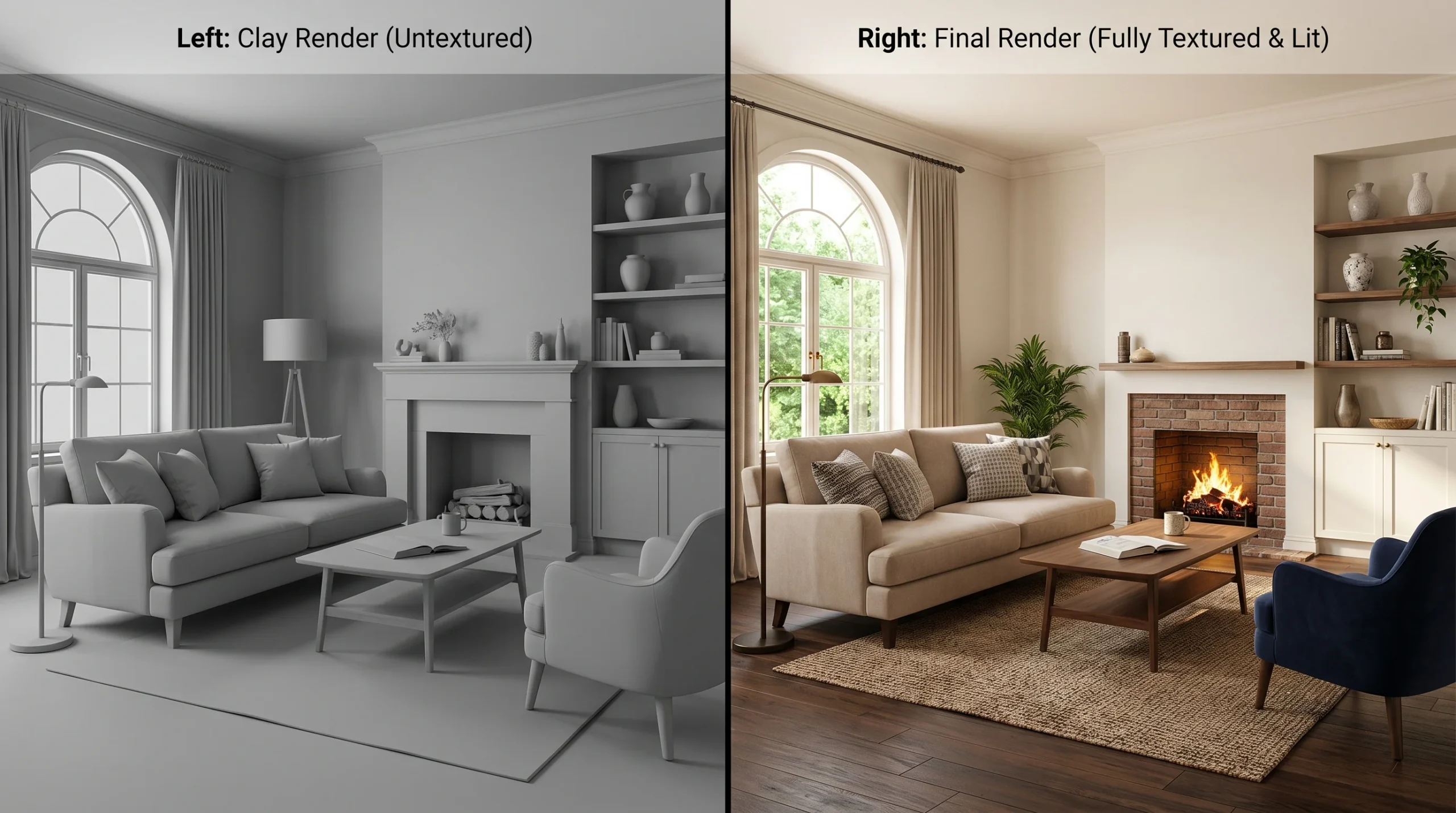
- Clay or draft pass. An untextured grayscale image at each angle. Half the value of a clay render is that everyone shuts up about texture choices until the camera angle is locked.
- Materials, lighting, vegetation, people. The image starts looking like the marketing visual you’ll ship.
- Final render and post-production. High-resolution output, then color grading and compositing in Photoshop or After Effects.
- Revisions. Serious projects always have some change orders. The studios that handle this well agreed up front on how many rounds are included and what counts as a new scope.
Animation adds an extra layer — storyboard, animatic, motion review, sound design — and runs roughly an order of magnitude more expensive than a still of the same scene. There’s no shortcut around that. Frames cost time.
Why CGI beats drawings for selling and approvals
Architectural drawings are precise. They’re also dense, abstract, and uninterpretable to most non-architects. For a developer pitching off-plan apartments to retail buyers, a 30-second walkthrough animation often answers questions that a full drawing package cannot. For a planning committee, a contextual exterior render shows how a proposed building actually sits in the street — something a shadow diagram never quite communicates.
This is also where 3D renderings for architectural design earn their keep on the real-estate side: a polished exterior image of a not-yet-built tower has been the cover of more brochures than we can count. We’ve seen projects lose momentum simply because nobody outside the design team could understand the drawings. CGI fixes that, fast.
How to compare architectural CGI companies
Here are the things that actually matter when you’re picking a studio. Most pitch decks ignore the awkward ones.
- Portfolio match, not just polish. Hero images on a studio site are often the best shot from each project. Look for work in your typology — interiors if you need interiors, masterplans if you need masterplans — not just pretty pictures.
- Range of deliverables under one roof. If your project needs stills, an animation, and a browser tour, working with one studio that does all three is cheaper and faster than coordinating three vendors.
- Revision policy in writing. Two rounds? Three? Hours-based? This is where most disputes start.
- How they handle bad source material. Most clients don’t have a clean Revit model. The studio’s process for cleaning up DWG, building from PDF, or rebuilding from photos matters.
- Project management overhead. Some studios send daily updates. Some go silent for a week. Decide what you can tolerate.
- Time zone and language. Not glamorous, but it determines whether feedback cycles take hours or days.
Common project types and what they cost (in effort terms)
We can’t quote real numbers without seeing your project — anyone who quotes a fixed price without scope is guessing. But here’s an effort ranking, which is how studios think about budget internally:
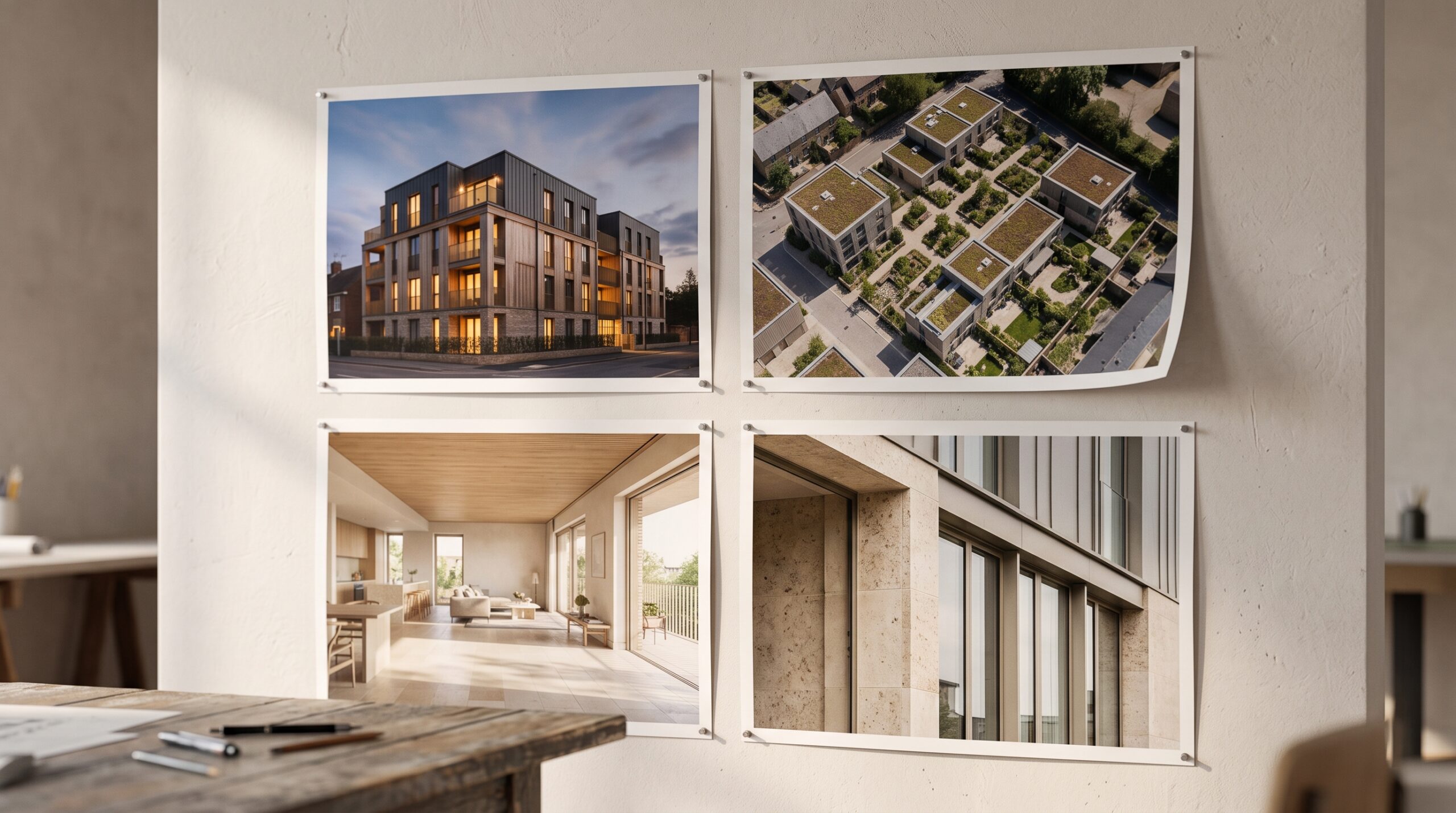
- Single exterior still, modest scope: the smallest paid job a studio will take. Days of work.
- Set of 4–8 stills (exterior + interiors) for a development: the most common archviz commission. A couple of weeks.
- 30–60 second flythrough animation: roughly the same as 10–20 stills in effort, sometimes more.
- Full marketing package — stills, animation, 360° tour, web-ready 3D: a month or more, multiple specialists involved.
- Configurator or WebGL app: different beast entirely. Software project, not a render. Weeks to months depending on scope.
Where archviz overlaps with adjacent CGI work
Some studios — ours included — also handle 3D interior design visualization and 3D product visualization for the furniture, fixtures, and equipment that go inside the buildings we render. That matters more often than people expect. A high-end residential project usually needs the kitchen brand’s cabinet line modeled to spec, or the bathroom fittings rendered to match the supplier’s actual catalog. Studios that can do both don’t have to subcontract that piece, which keeps the project on schedule.
Seven questions that sort studios fastest
Criteria are useful; questions are faster. Put these in your first email and the field thins itself:
- “Who will actually work on my project?” In-house team, or brokered out to freelancers? Both can work — but outsourcing you didn’t know about is where quality and deadlines quietly go to die.
- “Can I see two or three projects in my typology — including the source material you started from?” The before tells you more than the after. A studio that turned a rough DWG into a planning-grade image is showing you a different skill than one that rendered a clean Revit model.
- “What exactly is included per image, and what counts as new scope?” Get the revision rounds as a number. “Unlimited revisions” is not generosity; it’s a sign nobody scoped the job.
- “When do I lock the cameras, and what does changing them later cost?” Any studio with a real process has a precise answer, because camera changes after materials and lighting are the most expensive words in archviz.
- “What do you need from me — and what happens if my drawings are incomplete?” The answer reveals whether they’ve dealt with real-world source files or only clean ones.
- “Who owns the final files and the 3D scene?” The renders are yours; the scene often isn’t. If a phase two is coming, scene re-use is worth real money — negotiate it now, not after.
- “What would make this timeline slip?” Every honest studio has watched its own schedule fail and can name the causes. A studio that answers “nothing, we always deliver on time” is telling you it hasn’t been paying attention.
None of these require you to know anything technical — and every one of them produces a different answer from a strong studio than from a body shop.
Red flags worth watching for
- Portfolios with no variety — every image looks like the same building from the same angle.
- Pricing that’s dramatically below market. CGI is labor-intensive. Suspicious-low quotes usually mean junior artists, missed deadlines, or both.
- Vague timelines. “Around two weeks” is fine for a small still. “Around two weeks” for a flythrough is a problem.
- No clay or draft phase. Skipping the gray-pass review almost always costs more in revisions later.
- No mention of how source files are handled. If they don’t ask what you can supply, they haven’t thought about it.
What we’d suggest before contacting any studio
Write a one-page brief before you start emailing studios. Include: project type and size, what drawings or models you can supply, the camera angles or shot list you need, your deadline, the deliverable format (still resolution, video length, web embed), and what the final output will be used for. That last one matters — a render for a billboard needs different resolution and treatment than one going on Instagram.
Then ask three to five studios for a quote against the same brief. The spread will be bigger than you expect, and the cheapest is rarely the answer.