
Image to STL is a solved search, in the narrow sense: tools will turn a photograph into an STL in minutes with no modeling knowledge required, and one whole class of them does it for nothing. Whether that STL survives the slicer is the real question, and it’s the half the tool marketing skips. We model for 3D printing professionally, so let’s be clear about the bias up front — and equally clear that this isn’t an AI-bashing piece. The tools are genuinely useful for a specific class of prints. The failure modes are just predictable, technical, and — refreshingly — admitted by the tool vendors themselves. Here’s the honest map, checked against the tools’ own documentation in August 2026.
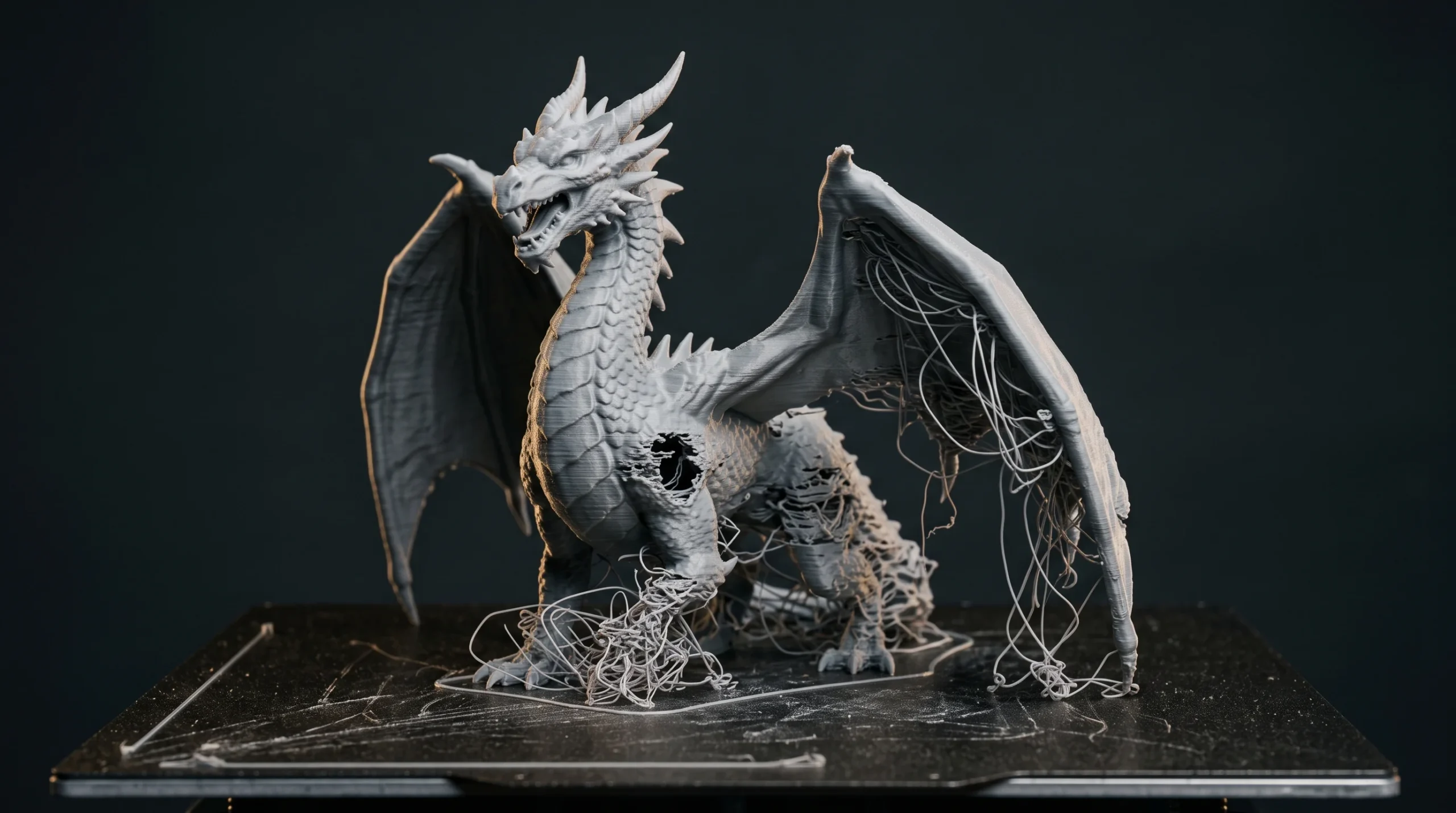
Two routes from image to STL — and they’re not rivals
The search lumps together two completely different conversions. The relief route turns your image into raised-and-recessed surface on a simple shape: lithophanes, plaques, embossed panels. It’s free, instant, and solved — ItsLitho does it in the browser, straight to STL — because it never has to guess geometry; the image is the geometry. If your goal is a photo you can print, stop reading and go do that. The AI route is the ambitious one: a model looks at your image and invents the full three-dimensional object it might depict, including every surface the camera never saw. Meshy (free tier 100 credits a month, Pro at $20) and Tripo (free tier 200 credits a month, about thirteen models; Pro $20 a month billed annually) both export STL directly, and Tripo adds 3MF, with an automatic repair pass before export that 3dprinting.com’s guide notes Tripo markets as closing holes and fixing non-manifold geometry — while telling you to verify the result anyway. The open-source end — Tencent’s Hunyuan3D, Microsoft’s TRELLIS — outputs GLB or OBJ for you to convert yourself, and TRELLIS wants a 16 GB NVIDIA card and a Linux box, which takes it out of the DIY conversation entirely. Check the tiers before you plan around them: these two moved while this article was being written.

Why an AI image to STL conversion fails in the slicer
A slicer has one non-negotiable demand: it must be able to tell inside from outside, everywhere. That single requirement is where beautiful generated meshes go to die. The recurring failure modes, most of them documented by the vendors and the slicer makers themselves:
- Not watertight, not manifold. Holes, internal faces, edges shared by more than two faces — Tripo’s own guide lists all three as standard generator output. And here is the part that catches people: Bambu Studio does not stop you. It shows “a warning symbol” and slices anyway — in Bambu’s own worked example, “after slicing it, the result is not correct. Part of the camel was missing.”
- Zero-thickness walls. The generator makes surfaces that look solid on screen and have no printable volume at all, or walls far below what your material and nozzle can actually hold. This is the trap that survives every automated check below.
- Detail that’s paint, not geometry. Much of what makes AI output look rich lives in the texture — and textures don’t print. Strip the color and you often find a much blobbier object than the preview promised.
- No scale, no base. Models arrive at arbitrary size with no flat face to print from; the mesh has no idea whether it’s a keychain or a garden statue.
- Triangle soup. Dense, chaotic topology that repairs slowly and edits worse.
Don’t take our word for it — take the vendors’. In a February 2026 interview, Meshy cofounder and CEO Ethan Hu described wall-thickness validation, hollowing and automatic repair as future work, with the “long-term goal” being “for models to become physically aware during generation”. Part of that has since shipped: Meshy now offers Analyze Printability free and Repair Printability for ten credits, checking watertightness, non-manifold edges, holes and degenerate faces before you export. Which would close this section — except that the same help page draws the line itself. Its FAQ asks “My model passed Analyze but still failed in my slicer. Why?”, and answers: “Analyze Printability checks for mesh topology issues only. It does not evaluate printability constraints like steep overhangs, thin walls, or model scale.” The tools got much better at the half they can automate. The other half got tools too — Meshy will thicken a wall or set a size if you tell it to — but it never got a check that decides any of it for you.
What repair actually fixes — and what it can’t
The good news: topology repair is largely automated now. Bambu Studio’s Fix Model reaches Microsoft’s Netfabb repair APIs and is “only supprted on the Windows platform”, in the wiki’s own typo; PrusaSlicer’s knowledge base points at the same Microsoft route, and both carry the same caveat — the comment thread there reports that service being retired — and when the slicer’s own repair isn’t enough, the next step is a dedicated mesh editor or a CAD package rather than another automatic pass. Holes get closed, manifoldness gets resolved, and plenty of AI output prints after nothing more than an auto-fix — the slicers quietly rescue more meshes than anyone admits. Now the limit — and this time the repair tools do state it. Repair will happily add geometry — Tripo’s ledger closes “eligible planar holes” without asking, and closing a hole means new faces. What it cannot add is the information the source never carried. It can make a mesh watertight without making it printable: Tripo’s own STL repair tool sorts findings into what it fixes automatically, what needs review, and what it flags as “Not checked: Self-intersections and thin walls require checks outside this tool” — sending you to a mesh editor or CAD package for what it calls “design-intent decisions”. Texture-only detail stays flat after repair. A wall too thin to print stays too thin, now in a valid mesh. And typing in a size gives the part a size — not the tolerances, interfaces and relative dimensions the photograph never specified. Repair is a spell-checker — it fixes typos; it doesn’t write the missing paragraph.
What the DIY route genuinely does well in 2026
Fairness demands this section, because the tools have earned it. Decorative, organic, single-piece objects — figurines, busts, props, terrain — generated from a good photo often print acceptably after the slicer’s auto-repair, and image-to-3D output is meaningfully more printable than text-to-3D, per 3dprinting.com’s guide, which surveys the field. The free tiers are real enough to evaluate with — but read them before you plan around them, because neither lets you walk away with a sellable file. Meshy’s free plan does not include downloads at all: you can generate, and the Download button is a paywall. Tripo’s free tier does export, but its models are marked “Non-Commercial Use”. And the lithophane route remains free, instant, and reliable. If your project lives in that territory, you don’t need a studio, ours included — and any studio that tells you otherwise is selling you your own free lunch.
The line: when dimensions become design intent
The boundary isn’t quality, and it isn’t scale either. Sizing a generated figurine to exactly 120 mm is a solved problem — Meshy’s own guide tells you to set the physical dimensions before export. The boundary is where dimensions have to hold true relative to each other: two mounting holes 64 mm apart, a shell 2.4 mm thick along its whole length, a thread that meets an existing fastener, a snap fit inside a tolerance. Once several measurements and interfaces must all stay correct together, a generated mesh stops being a trustworthy source of truth — and no amount of repair makes it one. Be precise about which AI is failing here, too: the text-to-CAD tools in the same guide output parametric, dimensioned geometry and are a different proposition. It is mesh generation from a picture that has no dimensions to lose. Tripo says it plainly in its own guide: AI-generated models “typically lack real-world scale”, and “a model with incorrect real-world dimensions will fail at every subsequent stage”. Auto-repair, as above, fixes topology and never intent. That work is remodeling — real CAD, built to numbers — and the market prices it as skilled labour: Cad Crowd’s 2026 US freelance rate table puts additive-manufacturing design at $60–80 an hour for junior work, $75–110 mid-level and $100–130 for a specialist. It’s the same discipline behind our 3D modeling for 3D printing service, and the design-side rules — wall thickness by material, export resolution, tolerance — are a separate education we’ve already written up in the five mistakes that ruin 3D prints. Generate the figurine. Commission the part that has to fit.