
If you’re searching for a 3D architect home designer, you probably aren’t looking for a textbook definition of architecture. You’re looking for someone who can take a floor plan, a few reference photos, and a half-formed idea — and turn it into images that you (or your spouse, your investor, your planning committee) can actually react to. That is what a 3D visualization studio does. And it is a different job from what your licensed architect does, even though the two roles get tangled in search results all the time.
This article walks through what a 3D home designer actually delivers, where the line sits between visualization and licensed architecture, and how to brief a studio so you don’t waste the first round of renders.
What a 3D Architect Home Designer Actually Does
Most homeowners we talk to assume the “3D” part means the studio is designing the house. That’s only half right. The architect, structural engineer, and any MEP consultants are still doing the building. The visualization studio is taking their drawings — or in the very early stages, your sketches and inspiration images — and rebuilding the project in a 3D scene that can be lit, textured, and photographed from any angle.
The output usually falls into one of these buckets:
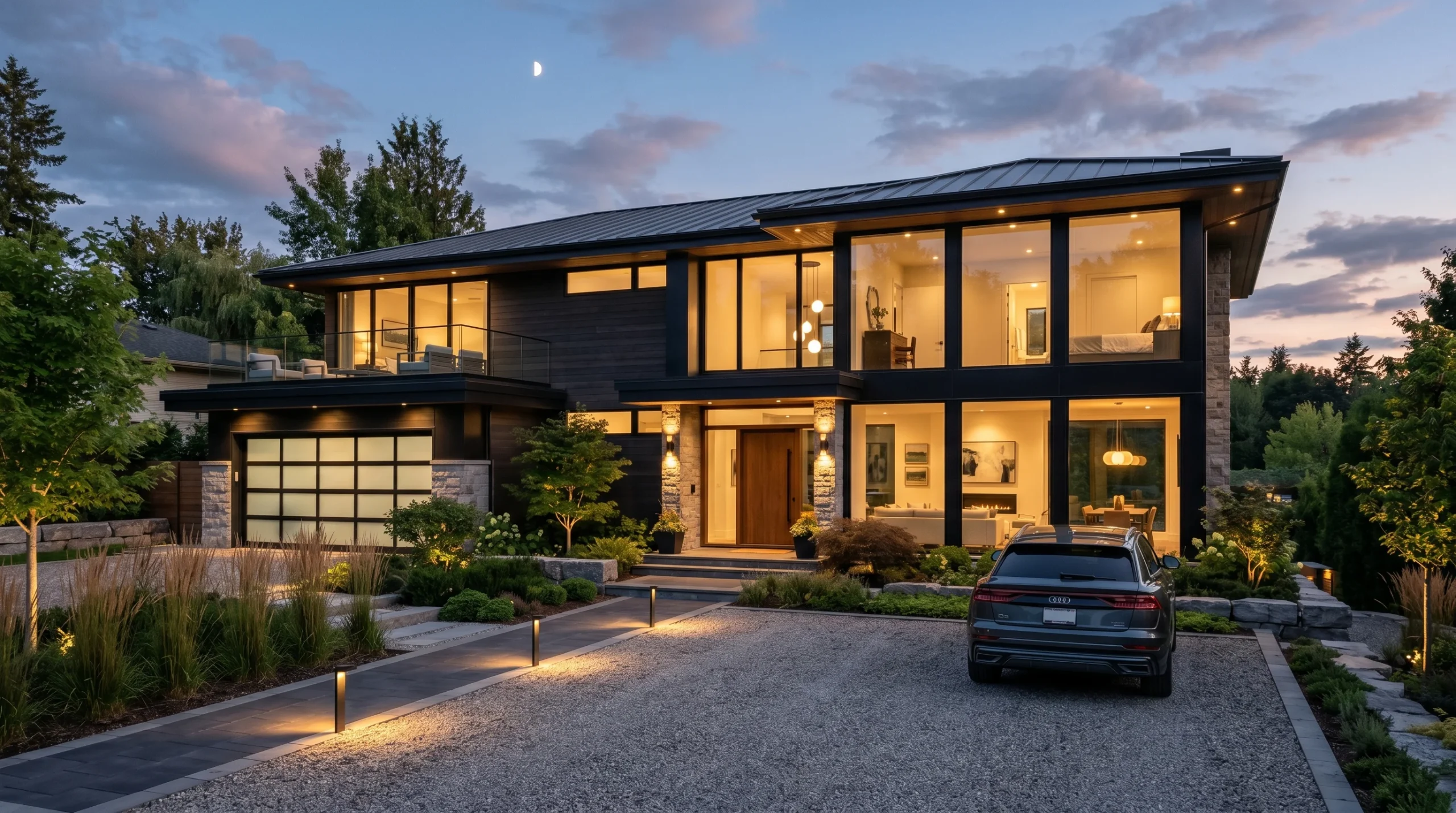
- Exterior renderings of the house from street view, drone-style aerials, twilight shots
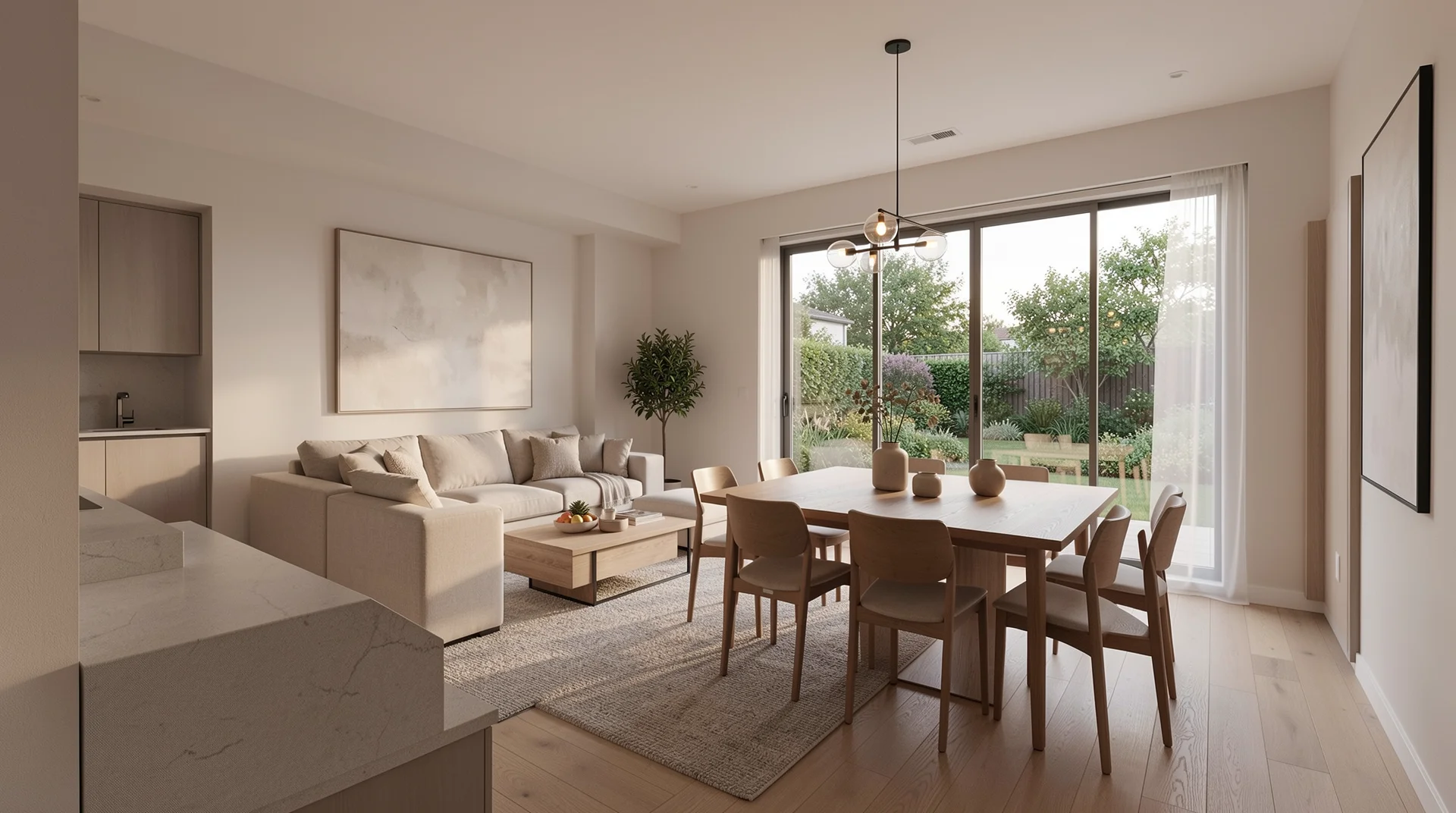
- Interior renderings of the kitchen, living areas, primary suite — wherever the spend or the emotion is concentrated
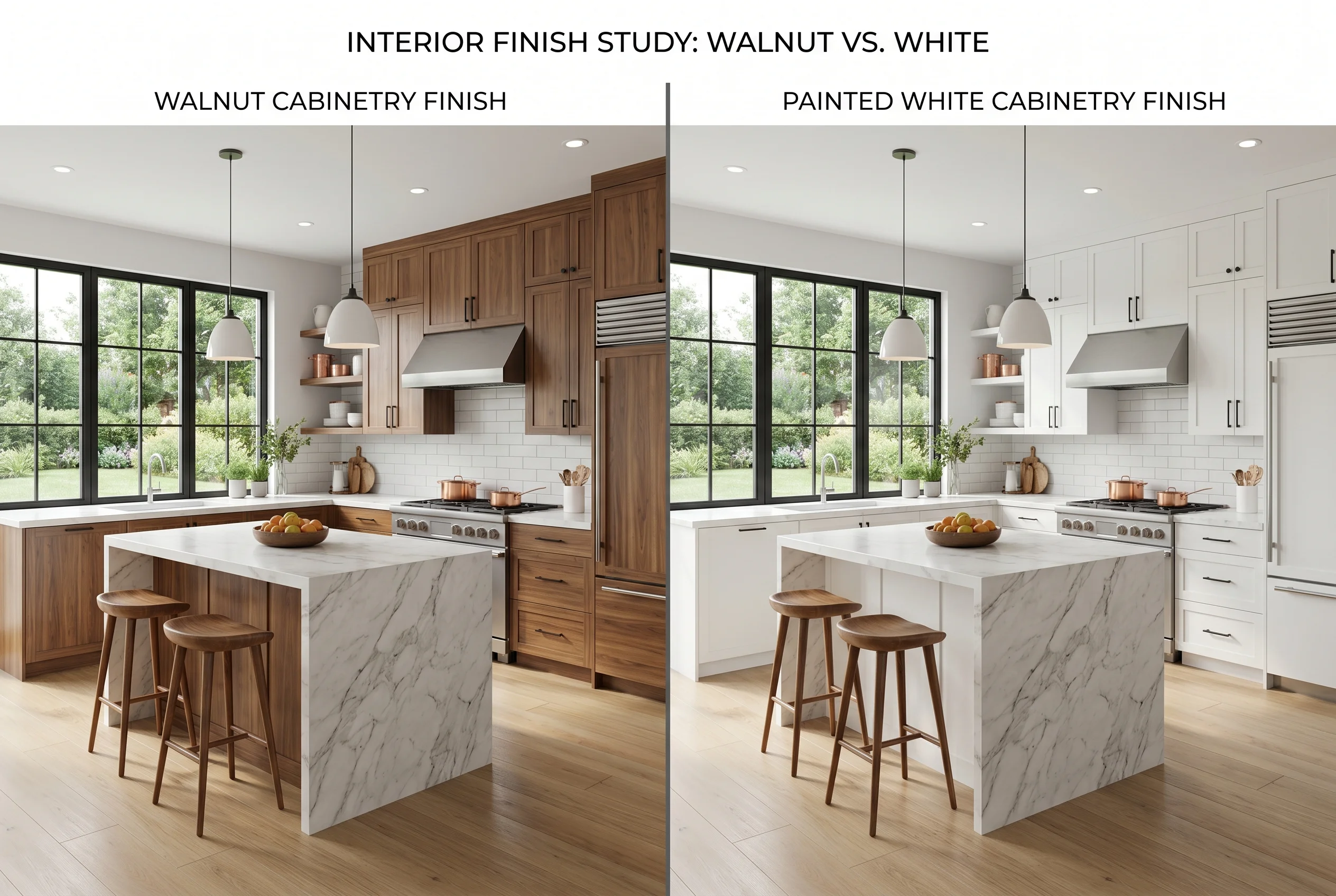
- Material and finish studies — the same room shown with three different cabinetry tones so you stop debating in the abstract
- Site context views showing how the new home sits in the lot, the neighborhood, the landscape
- Walkthrough animation when you need motion — pitching to investors, marketing a spec build, or just convincing a hesitant partner
Half the value of a good render isn’t the image itself. It’s that the conversation around finishes, proportions, and window placement suddenly gets concrete. People stop arguing about what they imagine and start reacting to what they see.
Where Visualization Stops and Licensed Architecture Begins
This is worth being honest about, because the line trips up a lot of homeowners.
A 3D visualization studio — including ours — does not do structural calculations, MEP engineering, code-compliance certification, or stamp permit drawings. Those require a licensed professional in your jurisdiction. We will happily build the 3D model, generate the renderings, and produce visualization-grade drawings that your architect can use as a starting point. We will not sign off on the engineering. Nobody serious will, without the license.
What this means in practice: if you already have an architect, we drop in alongside them and produce visuals from their drawings. If you’re still at the inspiration-folder stage, we can produce concept-level renderings that help you brief an architect later. The 3D images are part of how you communicate the project — they aren’t a substitute for the engineering work that lets you actually build it.
Why Homeowners and Small Developers Pay for This
The honest answer is that 2D floor plans are bad at selling a house to anyone who doesn’t read them for a living. Most clients, spouses, and investors won’t spend an hour decoding elevations and sections. They will react to a render almost immediately.
For a custom-home build, that matters because:
- You catch design problems before they’re built. Cabinet runs that look fine in plan view feel cramped in a render
- You make finish decisions once, not five times during construction
- Your contractor sees the intent, not just the dimensions — which reduces the “wait, you wanted what?” change orders
- If you’re financing or pre-selling, you have marketing material that doesn’t require imagination
For a small developer pitching off-plan units, a walkthrough animation often does work a drawing package cannot. We’ve seen projects lose momentum simply because nobody outside the design team could picture what was being built. The fix isn’t more drawings. It’s one image the buyer can hold in their head.
What a Good 3D Home Project Brief Looks Like
The studios you’re shopping will all ask for roughly the same inputs. The faster you can hand these over, the faster the first round of images shows up and the closer it lands to what you actually wanted.
- Architectural drawings — floor plans, elevations, sections in DWG or PDF. Whatever your architect has produced
- Material direction — flooring, cabinetry, countertops, exterior cladding. Even a rough Pinterest board helps more than people think
- Camera intent — which rooms matter, which angles you want, whether the exterior shots are daytime or dusk
- Reference imagery of homes whose mood you’re chasing. This shortcuts hours of back-and-forth on lighting and atmosphere
- The actual purpose — marketing, planning approval, internal decisions, investor pitch. Each one shapes the image differently
A common mistake is sending only the plans and assuming the studio will pick finishes. We can, and sometimes we do. But the result will be generic. The best home renders come from clients who have an opinion about what they want the place to feel like, even if they can’t quite name it yet.
Where Animation, Tours, and Configurators Fit
Still images cover most projects. But there are three adjacent deliverables worth knowing about, because the line between “render” and “everything else” is fuzzier than it used to be.
Architectural animation — a 30-to-90-second walkthrough that moves through the home. Useful when the project’s value is in the flow of spaces, not a single hero shot. More involved than stills, but increasingly affordable on the resi side. We cover the production approach in more detail in our piece on archviz animation.
360 panoramic tours — interactive panoramas of finished rooms that the client can spin around in a browser. Good for real-estate marketing and for clients who want to “stand inside” the house before it’s built.
Interactive web apps — material configurators, plan switchers, real-time walkthroughs in the browser. Mostly relevant for builders selling multiple unit types or developers running a sales portal. Overkill for a single custom home.
For a one-off residential build, stills plus maybe one animation is usually the right scope. Everything else is for the project where the visualization itself is the marketing tool.
How to Pick a Studio (Honest Version)
Portfolio is the obvious filter, but most studios show their best 5% of work. A more useful test: ask to see recent work, ask how many revision rounds are normal, and ask whether the studio has done your project type before. A studio that has rendered fifty kitchens doesn’t blink at yours. One that hasn’t will spend the first round figuring out how to light a backsplash.
Also ask about scope honestly. Serious projects always have some change orders. A studio that pretends otherwise is either lying or about to disappoint you. The right question isn’t “will there be revisions” — it’s “how are they handled.”
If you’re earlier in the process and want to understand what 3D design adds to a build from the ground up, we cover that in more depth in our 3D architectural design advantages piece. For projects where the landscape and exterior are doing as much work as the building itself, our landscape architect 3D notes are the closer fit.
Working With Art Land Design
We’re a 3D visualization, drafting, and interactive design studio. Over 2 decades in, 1,500+ projects across residential, commercial, product, and animation. Our core stack for home work is 3ds Max with Corona Renderer for the visuals and Revit for drafting support. We work alongside your architect when you have one, and we produce visualization-grade output when you don’t yet — with the caveat that we don’t replace the licensed work your build will need at permit stage.
Most of the home projects we take are mid-build pitches, custom-home buyers trying to lock finish decisions, and small developers who need marketing imagery before a single unit goes on the market. If that’s roughly your situation, the conversation is short.