
Most articles about hiring a 3D animation company read like a glossary: here is modeling, here is rigging, here is rendering. That helps nobody who actually has a project to commission. The real questions are simpler — what is the video for, who is going to watch it, and what does the studio on the other side actually deliver when the file shows up.
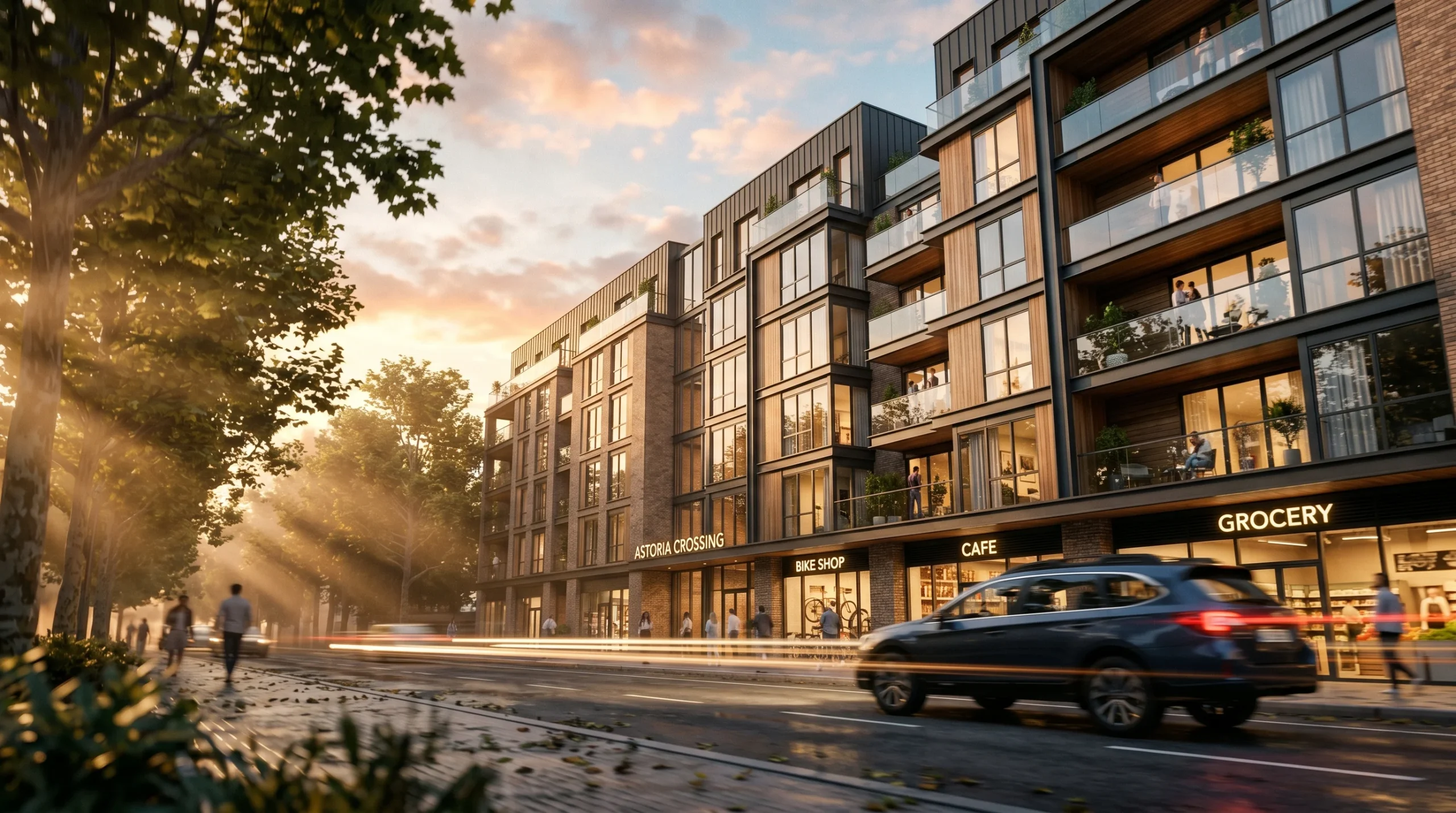
Art Land Design has been building 3D animation for over 2 decades, with 1,500+ projects across architectural visualization, product visualization, and marketing video. This piece is the honest version: what we make, who we make it for, and where the work tends to go sideways if you don’t think about it early.
What a 3D animation company actually produces
The term covers a lot of ground. Three buckets cover almost everything that gets commissioned by serious clients:
- Architectural animation — exterior flythroughs of buildings or sites, interior walkthroughs through finished spaces, masterplan reveals for mixed-use or multi-family developments. Usually 60-120 seconds. Output is a marketing-ready video.
- Product explainer animation — a piece of machinery, a consumer product, or an industrial attachment shown in motion. Often paired with cutaways, exploded views, or close-ups of mechanisms.
- Marketing and presentation video — a hybrid format. Brand identity work, pitch reels, investor decks where a static rendering won’t carry the story.
Within those three, the production process looks similar — model, texture, light, animate, render, edit. But the brief is wildly different. A developer pitching a 200-unit residential project does not want the same video as a manufacturer launching a hydraulic attachment.
Architectural animation: what developers and builders actually use it for
For a developer pitching off-plan apartments, a walkthrough animation often answers questions that a drawing package cannot. Most investors won’t spend an hour decoding elevations and sections. They will, however, watch a 75-second flythrough that makes the lobby, the unit, and the view from the balcony immediately readable.
What we usually deliver:
- Exterior flythroughs — drone-style camera moves around a building or across a site, often beat-matched to a music bed.
- Interior walkthroughs — first-person or smooth dolly motion through living spaces, kitchens, hospitality interiors, offices.
- Masterplan reveals — the camera starts at site scale and descends into building detail. Good for mixed-use schemes.
- Real-time / game-engine walkthroughs — when you want the same scene to behave as a video for marketing AND as an interactive walk for sales-center kiosks.
The stack is usually 3ds Max + Corona Renderer for the still-image quality bar, with After Effects and Premiere handling edit, grade, and motion graphics on top. Real-time work uses game engines where the deliverable warrants it. For projects where decisions are still in flux, we often link this with the builder-facing services we put together for construction firms — animation plus stills plus the drawings that go with them.
Product explainer animation: showing how something works
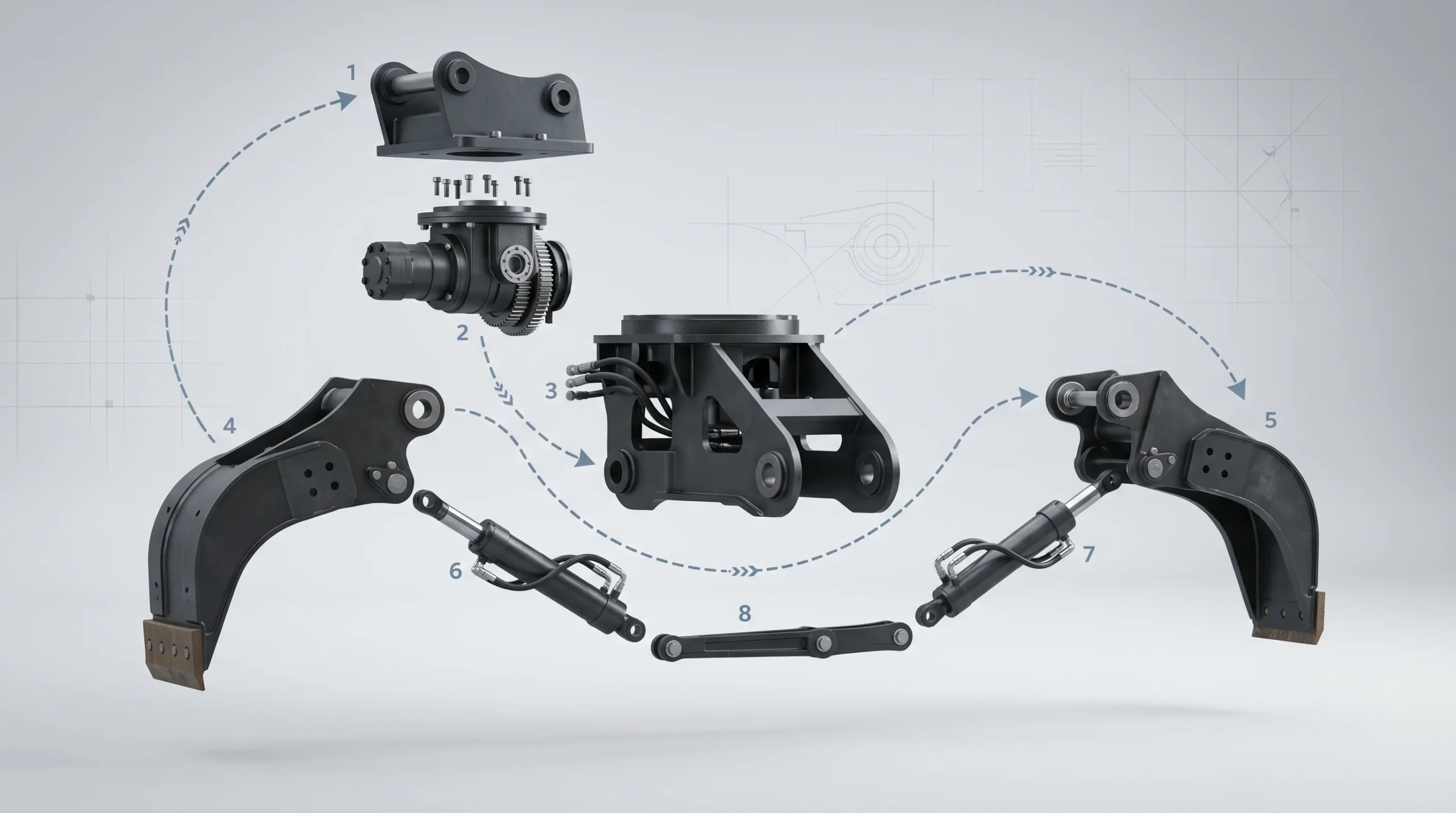
This is a different discipline. Architectural work is mostly about atmosphere — the product side is about mechanism. A potential buyer needs to see what attaches where, how the mechanism moves, where the wear points are. Half the brief is choreography, not aesthetics.
Typical deliverables on the product side:
- Exploded-view animation showing how components fit together.
- Cutaway sequences revealing internal mechanisms.
- Hero shots on a clean studio backdrop — the “loop” most brands use on their homepage.
- Application sequences — the product in the environment where it actually gets used.
For technical input we work from STEP, IGES, or native CAD when the client has it, clean it up, build proper materials, and animate from there. If you want a deeper read on how this connects to still imagery, our notes on 3D product visualization walk through the rendering side of the same pipeline.
The honest part: timelines, change orders, and what slows projects down
Animation is more expensive per second than still imagery, and the reason is simple — every frame has to be rendered. A 60-second video at 25 frames per second is 1,500 frames. If a frame takes ten minutes, the math is unforgiving.
The two things that consistently blow timelines:
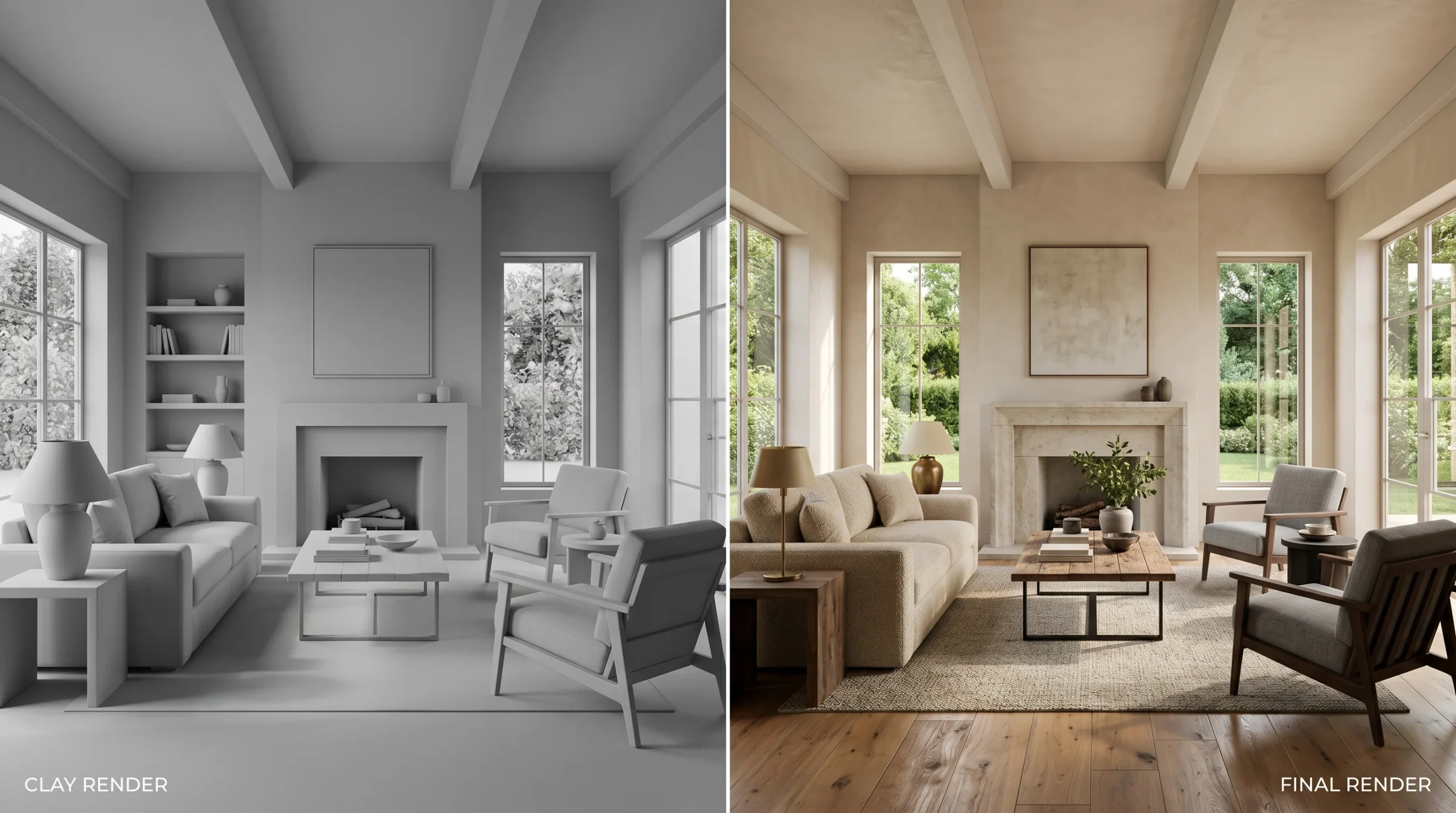
- Camera changes after rendering starts. Re-rendering 1,500 frames because the camera angle was wrong is not a small ask. We try to lock cameras with the client before the render farm goes to work — often using clay or grey-shaded previews. Half the value of a clay render is that everyone shuts up about texture choices until the camera angle is locked.
- Scope creep mid-production. Serious projects always have some change orders. The cost of a change in pre-production is small. The cost of the same change after rendering is a different conversation.
This isn’t a complaint — it’s just how 3D animation works. A 3D animation company that doesn’t tell you this upfront is selling you a fantasy.
What we don’t do
Honest framing matters here. We are not a character-animation house in the Pixar sense, and we won’t pretend to be. Stylized character work and rigged 3D characters are available but they aren’t where we put 90% of our energy. Our weight class is:
- Architectural walkthroughs and flythroughs (residential, commercial, hospitality, mixed-use, industrial).
- Product explainer animations for industrial equipment, machinery, consumer goods, furniture.
- Marketing video, presentation video, animated ad content built off photoreal CGI.
If your project is a feature-film-quality character animation, you want a specialist. If your project is showing a building or a product to a buyer who needs to make a decision, that’s what we do day in, day out.
How to brief a 3D animation company without wasting time
A few things make briefs go faster:
- Reference videos. Two or three pieces you like, with notes on what specifically you like — camera moves, lighting mood, edit pace.
- Source material. Drawings, CAD, photos, existing renders. The more we don’t have to interpret, the faster the first draft.
- The actual use case. A 30-second ad cut for Instagram is a different deliverable than a 3-minute investor reel. Don’t make us guess.
- A duration. Even a rough one. “Around 60 seconds” is enough.
If you don’t have all of this, that’s fine — we’ll work through it on a call. But the more you bring, the closer the first delivery will be.