
A 3D interactive presentation is a piece of software the viewer drives themselves. Instead of watching a fixed video or scrolling through static renders, they move a camera, click on objects, swap materials, walk through rooms, or rotate a product in their browser. That’s it — the rest is just implementation detail. But the implementation details are where most of the value (and most of the budget conversations) actually live, so this guide walks through what a real 3D interactive presentation looks like in 2026, what it costs you in production effort, and when it’s the right call versus when you’d be better off with a flythrough animation or a set of stills.
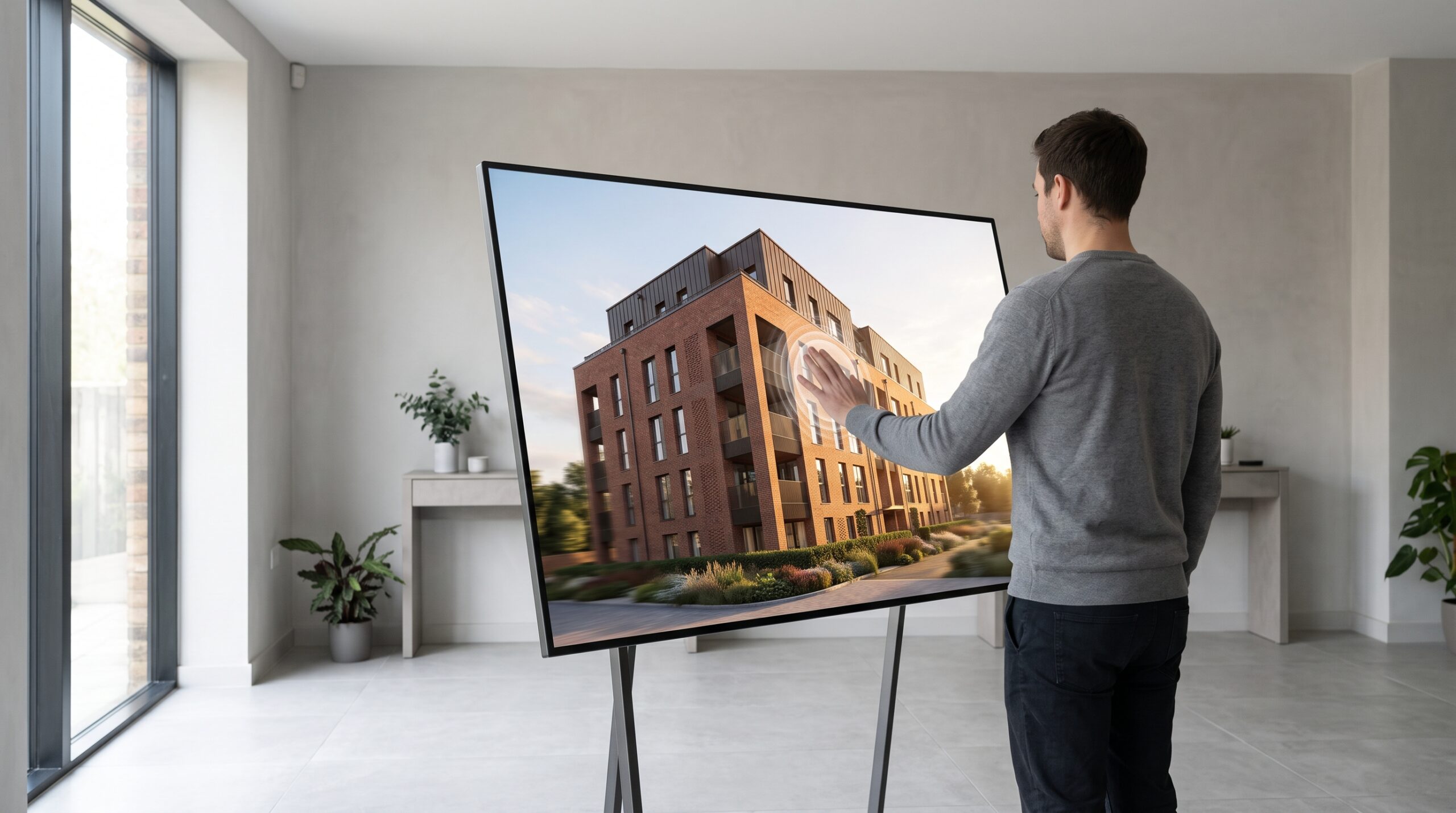
We’ve been building these for over 2 decades — WebGL apps, real-time architectural walkthroughs, product configurators, 360 tours stitched into larger experiences. The honest version of the story is below.
What a 3D Interactive Presentation Actually Is
Strip away the marketing language and you’re left with three ingredients:
- A 3D scene — geometry, textures, lighting baked or computed in real time.
- A runtime that draws the scene every frame and responds to input. In the browser this is usually WebGL via Three.js or a similar layer. Outside the browser it’s a game engine like Unreal or Unity, or a custom build.
- A UI layer — buttons, hotspots, menus, a navigation system — that tells the viewer what they can do.
The viewer experience can range from a single rotating product on a white background to a full virtual neighbourhood with day/night cycles, configurable interior finishes, and lead-capture forms wired into the developer’s CRM. Same category, very different builds.
The Three Patterns Clients Actually Ask For
Most briefs land in one of three buckets. Knowing which bucket you’re in clarifies scope faster than anything else.
1. Architectural Walkthroughs and Virtual Tours
A developer has a building or masterplan that doesn’t exist yet. They want investors, buyers, or the planning committee to move through it on a tablet or laptop. Sometimes it’s a free-roam first-person walk; sometimes it’s a guided path with stops at hotspots; sometimes it’s a 360 panorama tour built from pre-rendered nodes — cheaper to produce, lighter on the device, but the viewer can’t go off-path. For most off-plan residential pitches, a hybrid (panorama tour with a few interactive moments) carries the day. For high-end masterplans, a full real-time build pays off because investors will keep returning to it.
2. Product Configurators
A manufacturer wants to let customers choose finishes, fabrics, components, sizes — and see the result instantly, in the browser, before they buy. The 3D model has to be clean, the materials swappable at runtime, the UI dead-simple. This is the bucket where WebGL really earns its keep: no install, no plugin, runs on a phone. Done well, a configurator becomes the central sales tool, not a marketing add-on. Done badly, it’s a 200 MB asset bundle nobody waits to load. Our own jewellery ring configurator is a worked example of this bucket, documented screen by screen.
3. Presentation Companions
A speaker is on stage or in a boardroom and wants the deck to do more than show slides. The 3D scene runs alongside the talk — they click to fly the camera, isolate a component, or reveal a hidden layer. This is the original use case the term “interactive presentation” came from, and it’s still alive, just less common as a standalone deliverable than it was ten years ago.
WebGL Versus Game Engine: Which One You Actually Need
This is the question that decides budget, timeline, and how the thing gets shipped.
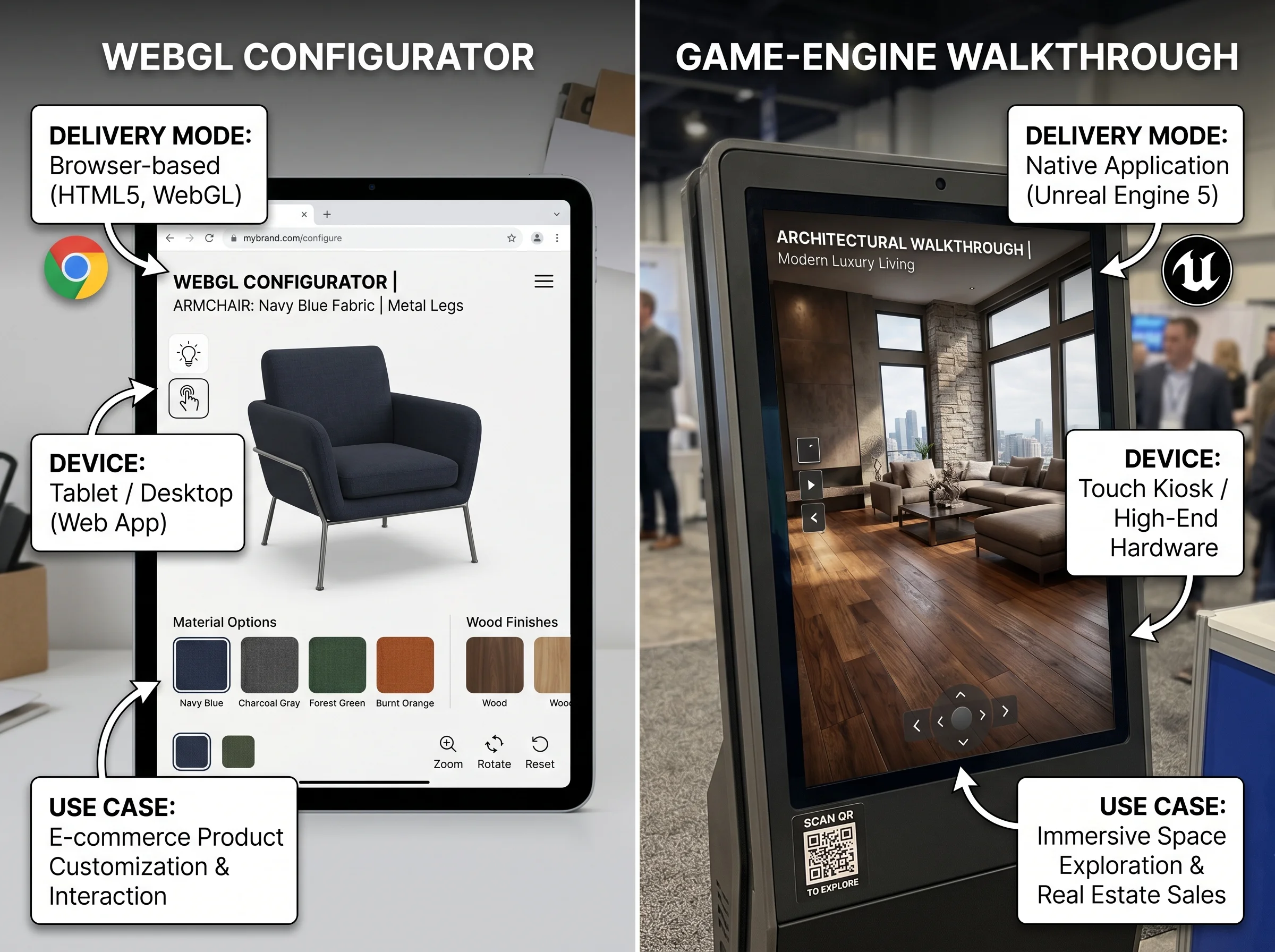
WebGL (Three.js, browser-based). Loads in any modern browser. No download. Great for product configurators, small architectural scenes, marketing experiences. The ceiling is real — you can’t push photoreal interiors with full dynamic lighting at sixty frames per second on a mid-range phone. But for most e-commerce-adjacent work and a healthy chunk of architectural marketing, the ceiling isn’t the problem.
Game engine (Unreal, Unity). Builds a downloadable app or runs on a kiosk machine. Visual quality can approach offline rendering. Useful for sales centres, investor presentations on supplied hardware, or showroom installations. The cost is distribution friction — you can’t email an Unreal build to a prospect and expect them to install it on their work laptop.
If a client tells us they want “photoreal real-time” on a phone, we have an honest conversation about which two of those three they actually get. Usually it’s “real-time on a phone” with stylised-but-good-looking materials, or “photoreal real-time” on a supplied machine. The middle ground — photoreal-ish in the browser on a current laptop — is reachable and growing every year.
What Production Actually Involves
The visible part is the finished experience. The invisible part is most of the work. A rough sequence:
- Scope and storyboard. What does the viewer do, in what order, on what device? Locking this before modelling saves the budget.
- 3D modelling and optimisation. Models built for offline renders are usually too heavy for real-time. Geometry gets rebuilt or aggressively decimated, UVs cleaned, LODs added.
- Materials, lighting, baking. Real-time scenes lean heavily on baked lightmaps and pre-computed reflection probes. The trade is quality for performance.
- Runtime build. Three.js code for browser, engine work for Unreal/Unity. Hotspots, UI, camera logic, configurator state.
- Integration. Embedding in the client’s site, CRM hookups, analytics, lead capture.
- Test on real devices. Not just the developer’s M-series MacBook. A four-year-old Android in landscape mode is the actual test.
Most projects lose time on the last step, because it surfaces problems that should have been caught in scope.
When a 3D Interactive Presentation Is the Right Call
It’s the right call when interactivity changes the buyer’s decision. A product configurator pays off when the SKU count is large and customers want to see their specific combination. A real-time architectural walkthrough pays off when investors will spend long sessions in it, returning over weeks of negotiation. A virtual tour pays off when the property isn’t built and photographs aren’t an option.
It’s the wrong call when a well-cut architectural animation would do the same job for a fraction of the cost. Animations are easier to share, easier to embed in pitch decks, and easier for non-technical viewers to consume. Most investors won’t spend an hour exploring a virtual masterplan — they’ll watch a two-minute flythrough and ask for stills of the units they liked. Interactive shines when the audience genuinely wants to poke at the thing.
For product manufacturers, the same logic holds against still product visualization. If your catalog is fixed and your hero shots do the job, stills are cheaper and more flexible. If buyers configure, you build the configurator.
Common Mistakes We See
- Treating it as a one-off render budget. Interactive work is software. It has a runtime, it needs updates when browsers change, and it deserves a small ongoing line item.
- Skipping the storyboard. “We’ll figure out the UI later” means you’ll rebuild the UI twice.
- Over-scoping the first version. A focused configurator that handles your top three product lines is more useful than a sprawling experience that handles everything badly.
- Ignoring the load-time budget. Every megabyte costs you mobile viewers. Asset compression and progressive loading aren’t optional.
Who Commissions These, and Why
Across 1,500+ projects the commissioning patterns are remarkably stable. Property developers want real-time walkthroughs of off-plan units to close investors. Product manufacturers want configurators to lift average order value and reduce return rates. Agencies commission interactive pieces for clients who want a marketing experience that beats a video. Industrial firms use 360 tours and interactive component views for sales and training. The common thread: the buyer’s decision involves choices that matter, and interactivity surfaces those choices in a way static media can’t.
If you’re weighing one against a flythrough or against still renders, the question isn’t which is “better.” It’s which one earns its production cost on your specific funnel.