
Most studios talk about Revit like it’s a magic box. It isn’t. It’s a database that happens to draw walls. That distinction matters, and it’s the reason we picked it as our default for architectural drafting work years ago. This article walks through how we actually use Revit for 2D and 3D architectural design on real client projects — what we deliver, what we don’t, and where the tool earns its keep versus where it gets in the way.
Why We Use Revit for 2D and 3D Architectural Design
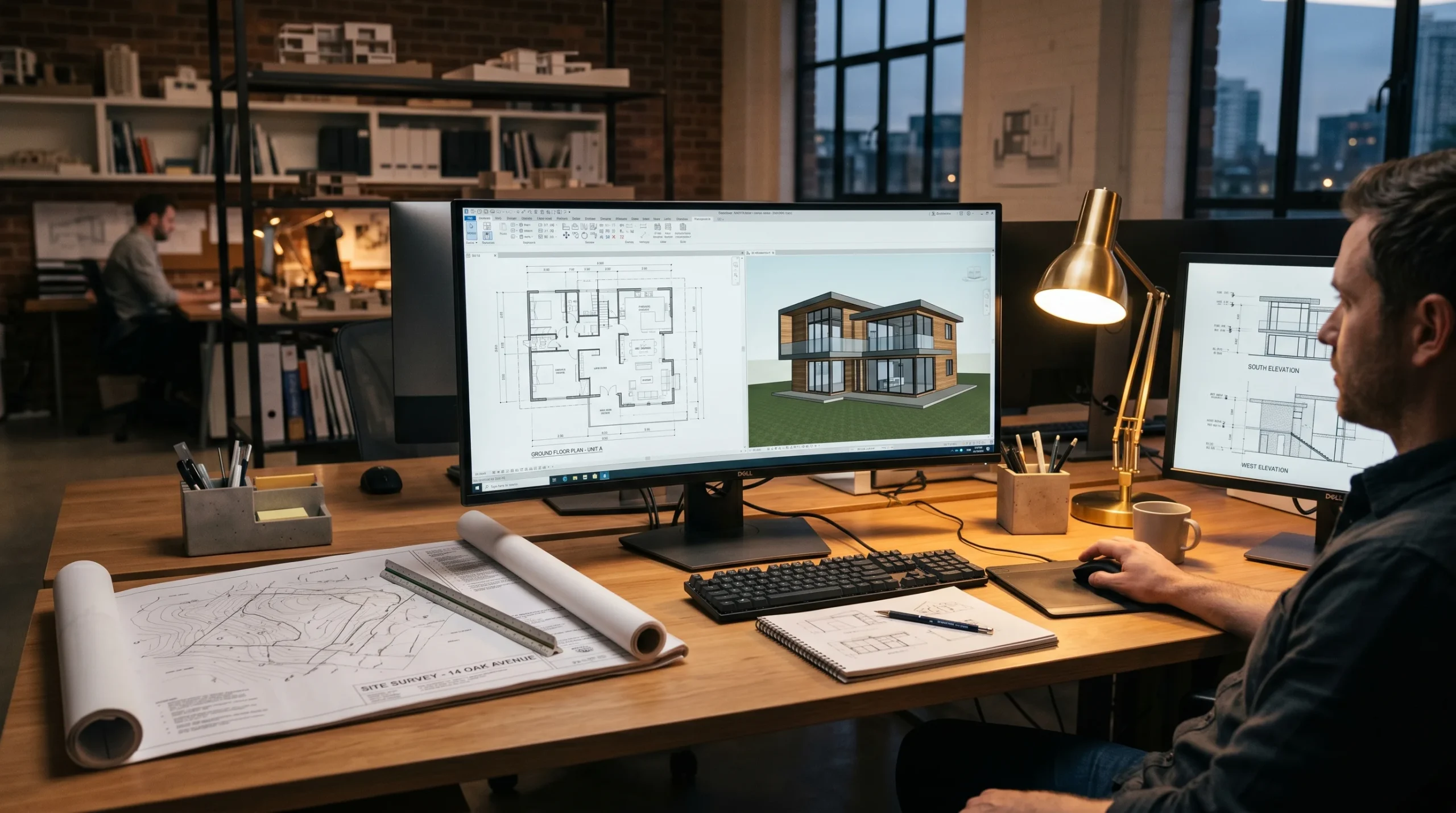
Two reasons, and they’re not subtle. First, the model and the drawings are the same thing. Move a wall in plan and the elevation updates. Add a door in 3D and it shows up in every relevant sheet. Second, when a project grows — more rooms, more revisions, more people touching the file — Revit doesn’t fall apart the way layered AutoCAD packages tend to. A developer who adds a basement at week eight doesn’t blow up the package. The schedules update. The sections regenerate. The drawing set stays internally consistent.
That’s the pitch in two sentences. The reality is messier — and worth spelling out.
The drawing-coordination problem Revit solves
Anyone who has shipped a real drawing package in AutoCAD knows the failure mode. Floor plan gets revised. Elevation doesn’t. Section is from two weeks ago. Schedule was hand-typed and now disagrees with the plan. Someone notices on site. Phone calls happen.
Revit doesn’t eliminate that risk, but it pushes it back by an order of magnitude. The geometry is one model. Plans, elevations, sections, and schedules are views of that model. If you don’t touch the model, the views don’t drift. We’ve watched mid-sized residential packages stay coherent through fifteen revision rounds because of this — try that in DWG without a small army of coordinators.
What We Actually Deliver with Revit
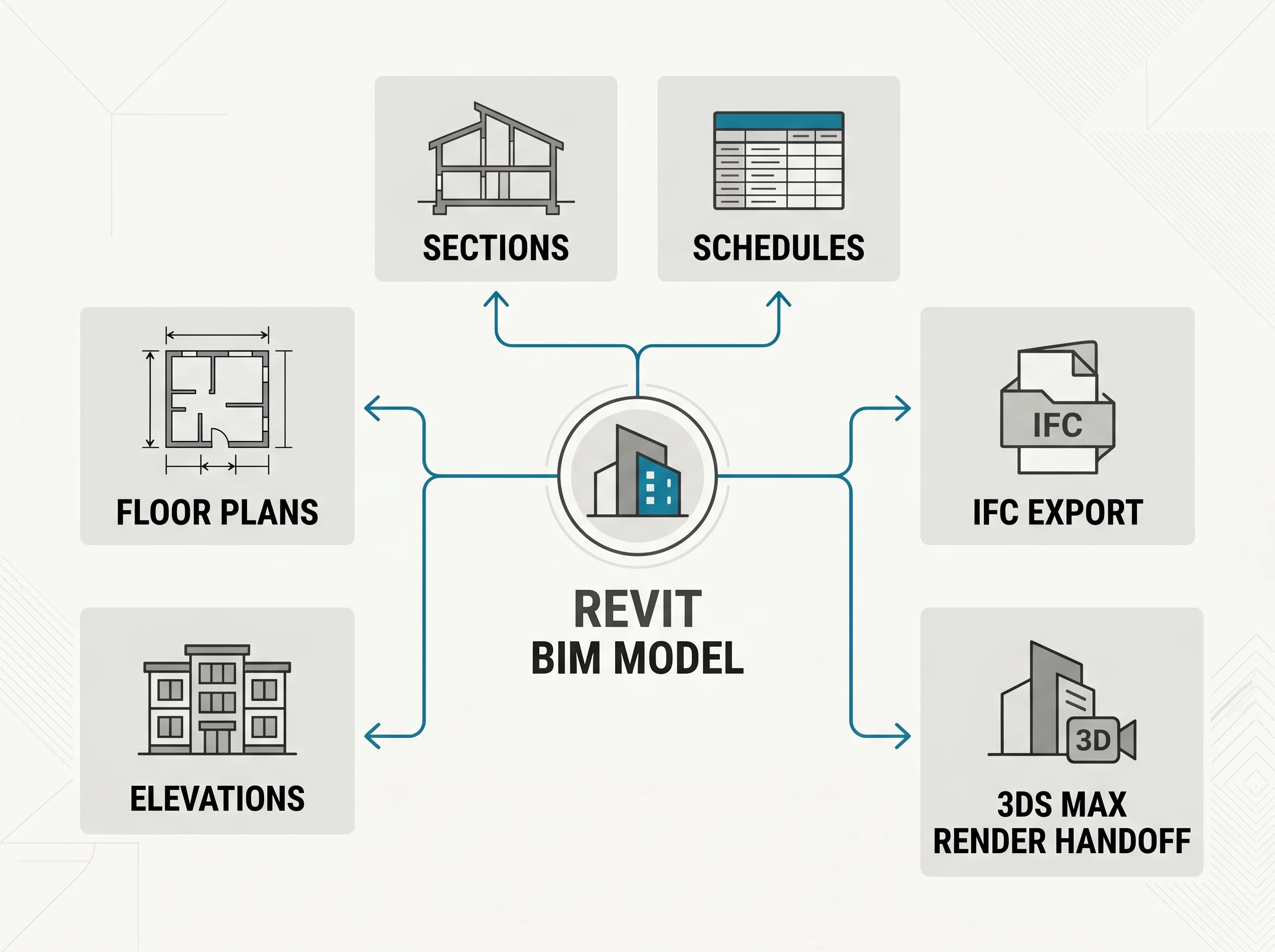
On a typical drafting and BIM job, the package looks something like this:
- Floor plans at standard scales with dimensions, room tags, door and window schedules.
- Elevations for every exterior face, plus interior elevations where the project warrants them (kitchens, bathrooms, retail interiors).
- Sections — building sections and wall sections, including the detail callouts the contractor needs to bid.
- Reflected ceiling plans when interior lighting and finish layouts matter.
- BIM model exported to IFC or shared as a native RVT for downstream engineers.
- Sheet sets output as a clean, indexed PDF and DWG package for permit-prep handoff.
- Existing-condition drawings when we’re working from a site measure or laser scan.
None of this is exotic. It’s the bread and butter of architectural drafting. The reason we mention it explicitly is that “BIM services” online often means everything and nothing — a clay model with no annotation is not a deliverable. A working drawing set is.
Where Revit Stops Being a Help (and Where We Stop)
Two honest boundaries to name.
First, the tool side. Revit is opinionated geometry. Curved, free-form, parametric envelope work is painful in Revit and a lot faster in Rhino or 3ds Max. If your project is geometrically conventional — orthogonal walls, regular floors, a sensible roof — Revit wins easily. If it’s a swooping cultural building with twisting glass, the right answer might be Rhino for the form and Revit for the documentation, and we’ll say so.
Second, the scope side. This matters more. We produce preliminary drawings — drawing packages that a licensed architect or engineer can use as the basis for stamped permit documents. We do not stamp drawings. We don’t take engineer-of-record responsibility. We don’t do structural calculations, MEP engineering, or load analysis. If a builder needs a signed structural set, that signature is going to come from someone in their jurisdiction with the right license — not from us. The model and documentation we produce is a strong foundation for that licensed work, not a substitute for it.
Worth saying because the industry gets sloppy about it: “BIM” and “permit-stamped engineering” are not the same thing. We do the first. We don’t do the second.
How Revit Fits Into Our Wider Pipeline
Most of our archviz work starts in Revit even when the final deliverable is a render. Here’s why. A Revit model exports cleanly to 3ds Max, where we do the photoreal rendering in Corona. If the project later needs a walkthrough animation, the same geometry comes along. If it needs 3D architectural animation as a marketing deliverable, we’re not re-modeling from PDFs — we’re using the BIM model we already built.
That linkage is the quiet reason BIM-first studios end up cheaper across a full project lifecycle. The model gets reused. Drawings, renders, animations, and interactive presentations come from one source of truth. When the client revises in week three, we don’t redo everything downstream.
It also means the rendering team and the drafting team are looking at the same building. That sounds obvious until you’ve worked on a project where they weren’t, and the marketing renders showed a balcony that the working drawings never had.
Tools We Pair With Revit
Revit doesn’t work alone. On a real job our stack usually includes:
- AutoCAD for DWG cleanup, legacy site drawings, and exchanges with contractors who still live in 2D. We hand off DWG, DXF, and PDF packages depending on what the recipient needs.
- 3ds Max + Corona Renderer for the photoreal architectural drawings and renders the marketing team will use.
- Navisworks or IFC export for coordination with consultants — when a project has structural and MEP teams elsewhere, we hand over a model they can federate.
- Blender or ZBrush in the rare case we need organic geometry the BIM model can’t hold.
The pairing matters because no single tool covers everything well. A studio that uses only Revit will eventually run into a render that doesn’t look right. A studio that uses only 3ds Max will eventually miss a drawing revision. Picking the right tool for each leg of the work is part of the job — and after 1,500+ projects, the handoffs between these tools are where most of the rough edges have already been smoothed out for us.
Who This Workflow Suits
Honest about fit. Revit-led drafting and BIM makes sense for:
- Property developers who need design-development drawings to move a project toward permit and pricing, and want renders that share geometry with the working set.
- Architects who want production drafting support during the design-development phase without bringing it in-house.
- Builders and construction firms who inherit a sketch package and need it turned into something coordinated they can bid.
- Real-estate teams who need both a presentable model for marketing and a clean drawing package for due diligence.
It’s less useful for one-off product visualization or single-room interior concept renders — those projects don’t need a building information model behind them, and we’d just be adding overhead. For that kind of work we go straight to 3ds Max. Knowing when not to reach for Revit is part of running the workflow well.
[…] assistant in tech preview and moved accelerated graphics out of preview — alongside eternal DWG (Revit in our 2D and 3D work covers that side). The DCC: 3ds Max is still the centre of gravity in the archviz work we see; the […]
[…] didn’t lose the 2D crown; it stopped competing for the 3D one. We work downstream of both — how we use Revit for 2D and 3D work covers the other side — and the honest selector is this: if the deliverable is a coordinated […]