
3D Interactive Presentation — Built for the Browser, Not the Boardroom
A 3D interactive presentation is the moment your prospect stops watching and starts touching. Rotate the chassis. Swap the leather to walnut. Walk the lobby. Toggle the cladding from charred timber to white render. No salesperson narrating, no PDF flipping — the visitor is driving, and they are spending real time on your product page while they do it.

This is the area where we have spent the most engineering effort over the last few years. Most architectural visualization studios stop at a stack of still renders or a polished animation. We build the thing that runs in a browser tab, embedded on your site, on a tablet at a trade show, or on a kiosk in a showroom. It is, honestly, one of the few areas where we will tell you outright that we are stronger than the average viz studio our size. One of those builds is written up in full: a jewellery ring configurator, taken apart screen by screen, covering what it does and what a production version would need.
What We Actually Build
We use the phrase “3D interactive presentation” loosely because clients ask for very different things under the same name. Roughly, the work falls into five buckets:
- Product configurators. A piece of furniture, an industrial machine, a vehicle attachment — the user picks fabric, finish, size, accessories, and the geometry and shading update live. The output is usually a configured BOM, a price hand-off to your sales system, or a high-resolution render snapshot for quotation.
- Material and finish selectors. Smaller scope than a full configurator. The model is fixed; the user cycles through palettes, veneers, stones, paint codes. Good for kitchens, cabinetry, tiles, façade systems.
- Interactive showrooms. A navigable 3D space — sometimes one room, sometimes a multi-floor environment — where products are hotspotted and clickable. Used for B2B catalog presentation, virtual booths, and dealer training.
- Web-embedded architectural visualizers. A floor plan or building model the visitor can orbit and walk. Apartment layouts where the buyer can swap finishes per room. Masterplans where you can click an individual unit and see availability.
- Custom hybrid apps. When the brief is unusual — interactive maps tied to 3D scenes, configurators that pipe into your CRM, drag-and-drop room planners — we write the bespoke piece. This is where most of our senior dev time goes.
The Tech Stack, Plainly
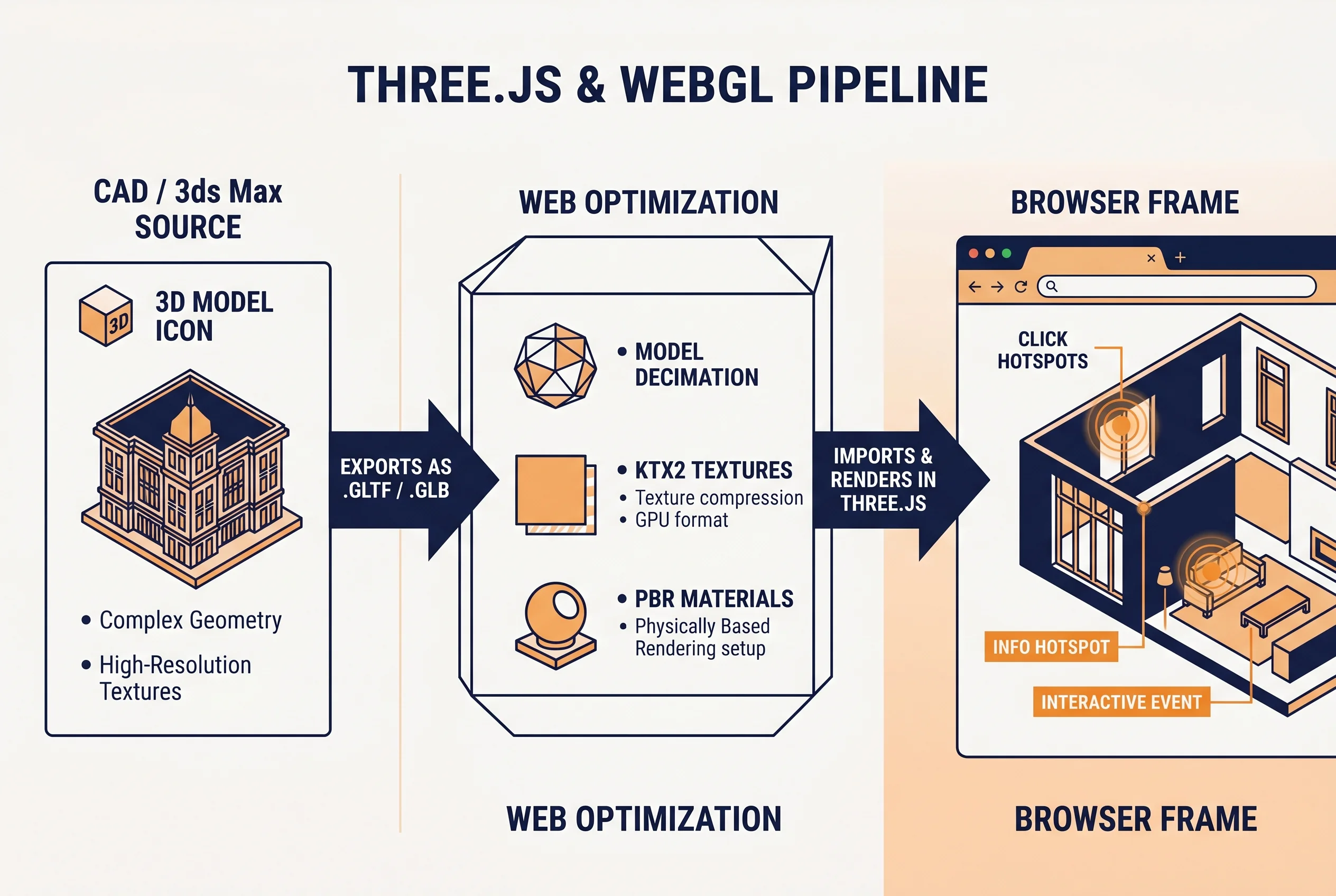
The base layer is Three.js on top of WebGL. That decision is boring but right: it runs on every modern browser without a plugin, it handles mid-weight scenes well, and the ecosystem is mature enough that we are not reinventing wheels for picking, raycasting, or post-processing.
Geometry comes out of 3ds Max, sometimes Blender for organic stuff, and gets baked, decimated, and re-UV’d for the web. Textures are compressed to KTX2 where the project warrants it. Materials are PBR — same authoring approach as a game pipeline, because that is effectively what a browser scene is. For the more demanding scenes we layer in shader work, custom post-processing, and where the budget allows, real-time lighting tricks lifted from game-engine practice.
If you need an experience that goes beyond what Three.js comfortably renders — full-fat lighting, cinematic walkthroughs of large interiors — we will tell you, and we will recommend a game-engine real-time build instead, or a hybrid where the heavy hero scenes run as pre-rendered video and the interactive layer sits on top. We would rather steer you to the right tool than oversell the wrong one.
Where Interactive Beats Static Renders
Stills are still the workhorse of property marketing. We make a lot of them. But there are jobs where interactive presentation pulls its weight in a way no other format can:
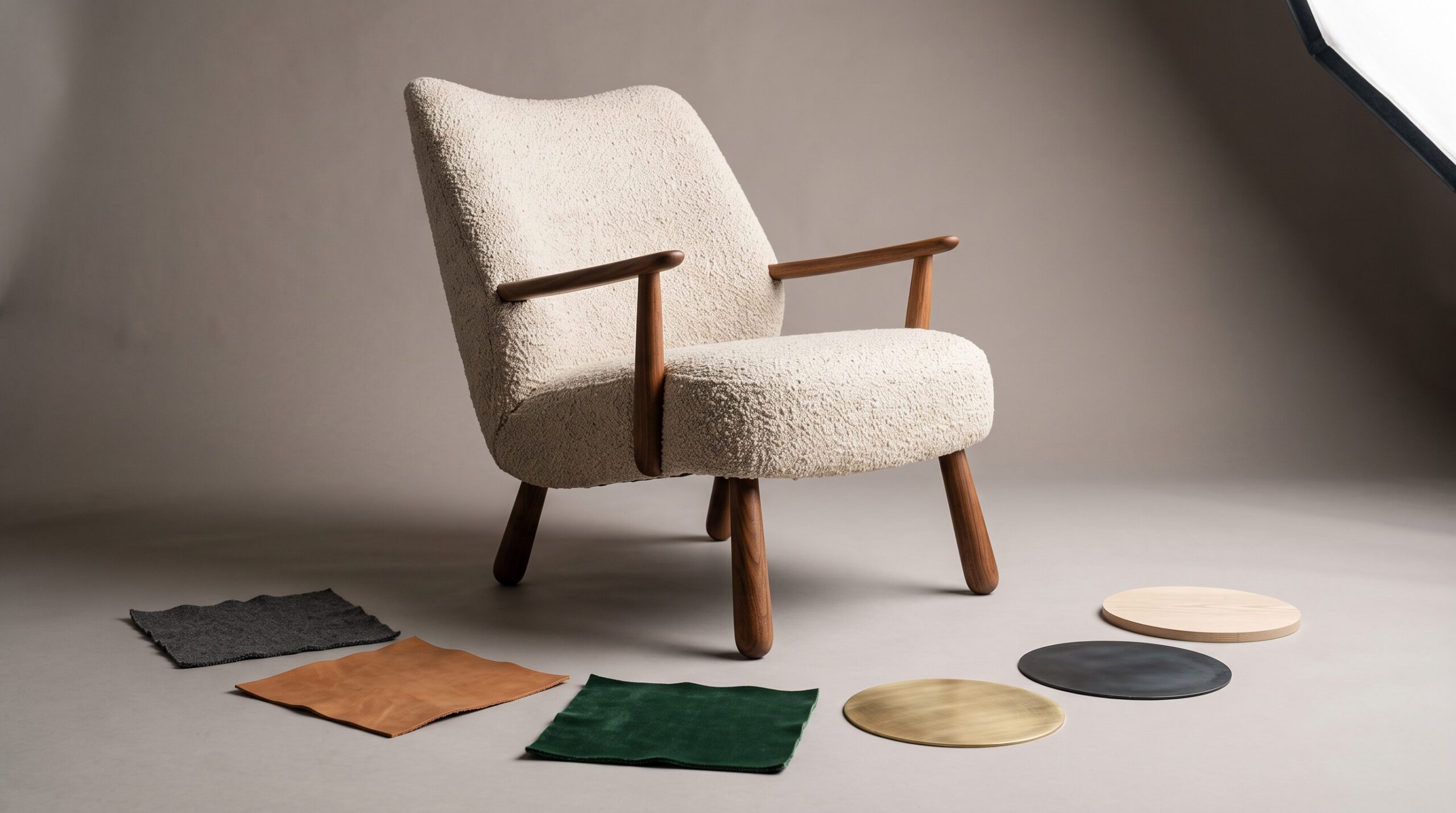
- SKU variants. If your product comes in eleven fabrics, four leg finishes, and three sizes, that is 132 stills before you account for hero angles. One configurator collapses that into a single asset.
- Off-plan property sales. A buyer who can walk a unit and swap their own kitchen finish converts at a different rate than one staring at a brochure spread. Real-estate agencies have used this format heavily over the last decade for exactly this reason.
- Trade-show booths. A touchscreen with an interactive model draws a crowd and stays demoable across a three-day event without a presenter glued to it.
- Distributor and dealer enablement. Sales teams in the field can show a customer a live configuration on a laptop without lugging samples. The same app doubles as marketing.
- Long-tail catalog work. Furniture libraries with hundreds of models — historically a brutal photography job — become a single browser tool with consistent lighting, consistent shadows, and no studio rental.
How a Project Tends to Run
Every brief is different, but the shape of the work is consistent. We start from your CAD, STEP files, IFC, or 3ds Max scenes — whatever you have. CAD cleanup and retopology come first because nothing eats a web budget faster than a model imported raw from SolidWorks with a million stray triangles. From there we build the materials, define the interaction logic (what can be toggled, what cannot, what is gated behind a form), and prototype the UI on real geometry rather than mockups.
Once the interaction is signed off, we optimize: LODs, texture compression, draw-call batching, lazy loading of scene chunks. The end deliverable is an embed snippet, a hosted URL, or a handover of source for your dev team to fold into a larger application. We will work to your stack — React, Vue, plain HTML, whatever the site is built on.
Honest Limits and Edges
A few things worth saying upfront, because they save everyone a week of mismatched expectations:
- Mobile is real, but it has a ceiling. A scene that flies on a gaming laptop can crawl on a four-year-old Android. We design for the device band you actually need, and we will tell you when “every phone” is the wrong target.
- Photoreal in real time is a tradeoff. Browser 3D in 2026 is genuinely good, but it is not Corona at 4K. For the absolute hero shot, you still want a baked render. We mix both routinely.
- Configurators are a software project, not a render job. If you need price logic, CRM integration, PDF quote generation, expect a brief that includes those workflows from day one.
Who This Is For
Product manufacturers building catalog tools. Property developers selling off-plan. Agencies whose end-client has asked for “something interactive” and needs a partner who can actually ship it. Architects who want their concept presentations to live on a URL instead of dying in a PDF. We have done versions of all of these — over 2 decades of project history sits behind the work, with 1,500+ deliveries across viz, drafting, animation, and interactive — and the interactive end is where we end up doing our most opinionated thinking.
If you have a static catalog you are tired of shooting, an apartment plan that is not closing buyers, or a product line that begs for “show me in oak” — that is the conversation. Bring whatever assets you have, even rough ones. We will tell you what is feasible, what is not, and where the right line sits between ambition and budget.
For related reading on how the interactive layer fits into broader property and product workflows, see our notes on visualization for real-estate sales and the role of architectural animation in pre-construction marketing.