
Low-poly modeling is the practice of building a 3D mesh out of the smallest number of polygons that still reads convincingly as the object it represents. That’s the whole brief. Not a style, not a shortcut — a constraint that forces every triangle on the model to earn its place.

We use low-poly modeling on jobs where the render budget matters: game-engine assets, browser-based 3D, real-time walkthroughs, mobile experiences, and the second-plane filler that quietly populates large archviz scenes. The work isn’t glamorous and it rarely wins awards. But when a configurator has to load on a phone in three seconds, or a Three.js scene has to stay above 60fps on a mid-range laptop, the mesh decisions made here decide whether the project ships or stutters.
What low-poly modeling actually is
A polygonal mesh is built from three sub-objects: vertices (the points), edges (the lines between them), and faces (the flat polygon panels — almost always triangles or quads). Connect enough of them and you describe a shape. Connect too many and you describe a shape that no real-time engine wants to render.
There’s no fixed number that separates low-poly from high-poly. A low-poly character for a mobile puzzle game might sit around 2,000 triangles. A low-poly hero asset for a desktop title might run to 20,000. A low-poly building used as background filler in an architectural flythrough could be 300. The honest definition is the one most working artists use: low-poly is the minimum polygon count that still reads correctly at the distance, angle, and resolution the asset will actually be seen at. Everything else is waste.
- Low-poly: built for performance — game assets, web-ready models, background objects, mobile content.
- Mid-poly: the working middle — used when you want clean silhouettes for renders but don’t need every chamfer modeled.
- High-poly: dense meshes for hero renders, cinematic shots, sculpting-based workflows. Often baked down to low-poly via normal maps for delivery.
Where low-poly modeling earns its keep
The textbook answer is “games and mobile.” That’s correct but incomplete. We use low-poly modeling on roughly five buckets of project:
- Game-engine assets. Characters, props, environment pieces optimized for Unity, Unreal, or a custom engine. Proper UVs, clean topology, normal-map ready.
- Web-ready 3D for WebGL and Three.js. Product configurators, interactive showrooms, browser-based architectural visualizers. Every kilobyte of mesh data costs load time, so the polygon budget here is unforgiving.
- Background filler in archviz. Cars in a distant parking lot, pedestrians in a plaza, trees on a horizon — anything the viewer registers but never focuses on.
- Mobile and AR. Phone hardware is fast now but still budget-bound. Low-poly is the default starting point for anything that has to render on a device the user is holding.
- The low-poly aesthetic itself. Stylized illustrations, faceted brand graphics, animated explainers where the look IS the angular geometry. Different goal, same craft.
The first four are about performance. The last one is about style. Both end up using the same modeling discipline.
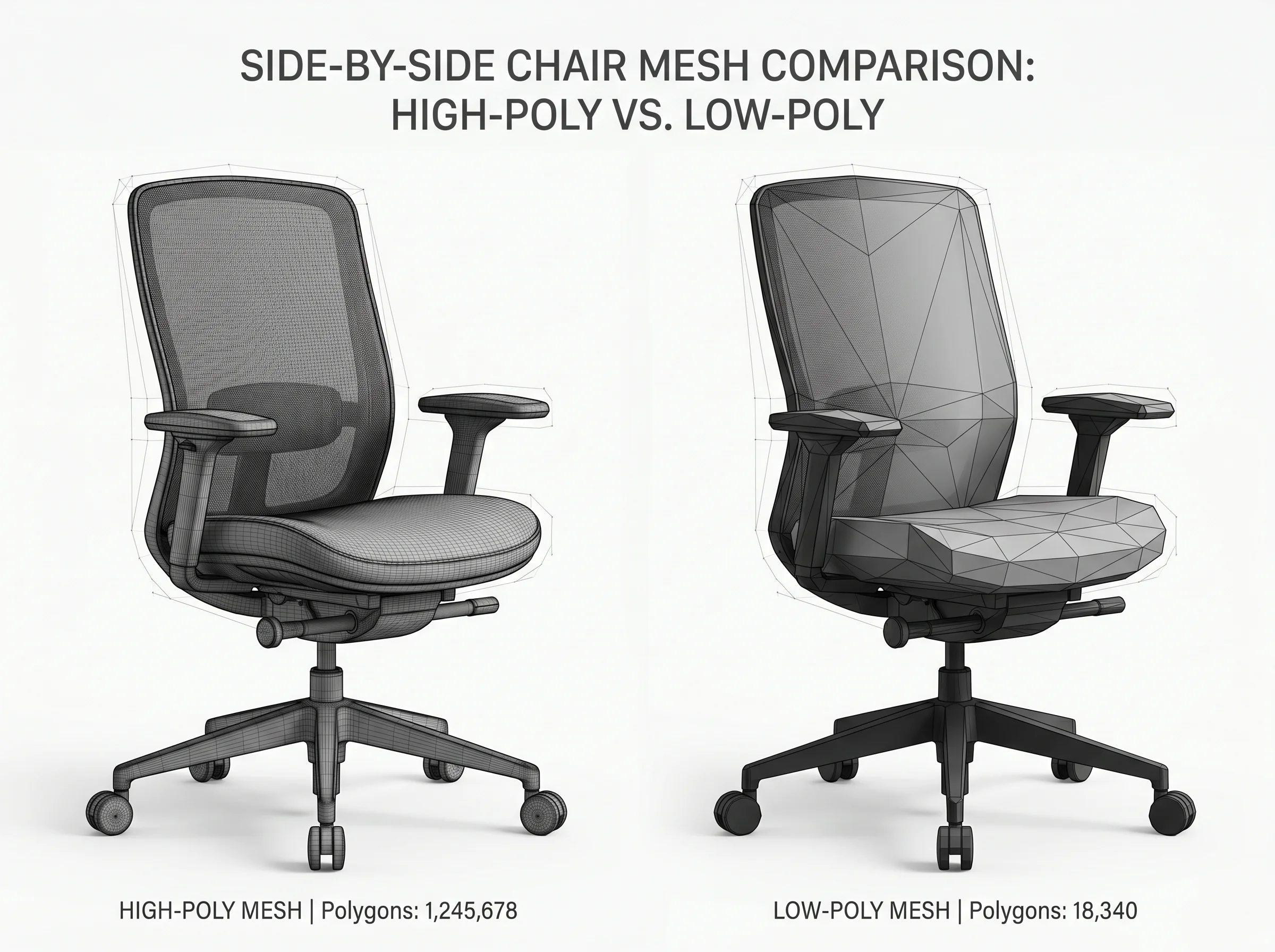
Low-poly versus high-poly: the actual tradeoff
People treat this like a quality argument. It isn’t. High-poly is not “better” — it’s different work for a different delivery target. A high-poly asset accurately conveys the shape of the intended object and puts a heavy load on the system when it renders. That’s the deal. You get fidelity, you pay in compute and memory.
For cinematic stills, pre-rendered animation, and offline VFX work, that’s a fair trade. For anything real-time, it’s a non-starter. Real-time engines need to render the entire frame in 16 milliseconds. A million-triangle hero model spends that budget on its own.
The working pipeline in most game and web projects looks like this: model high-poly first, then build a low-poly version with the same silhouette, then bake the detail from the high-poly down into a normal map applied to the low-poly. The asset that ships is the light version. The high-poly was just the source material for the texture maps. That’s why “low-poly” doesn’t mean “low quality” — modern low-poly models routinely look high-poly because the surface detail is baked into the textures, not the mesh.
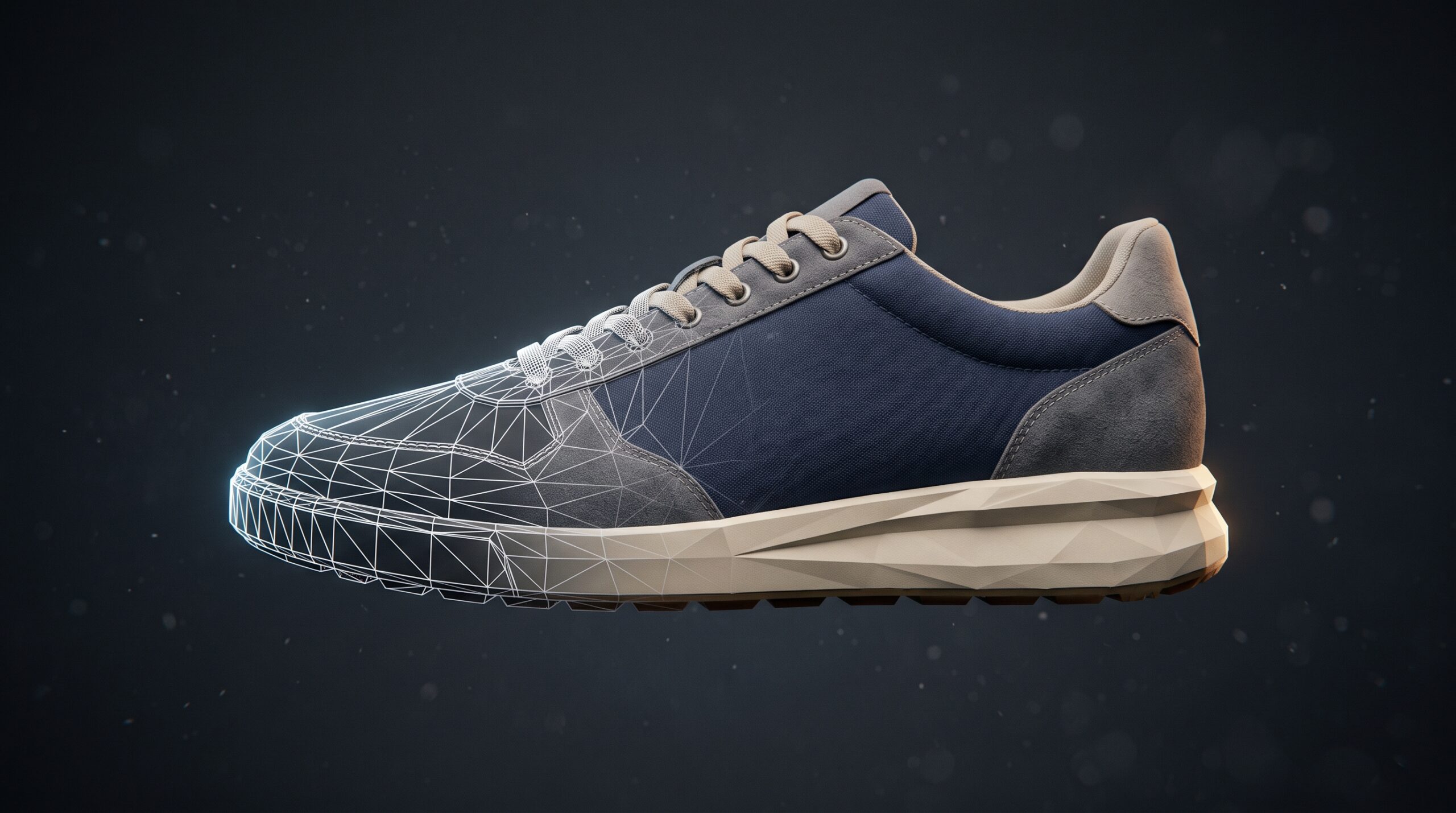
What we look for when modeling low-poly
The bar isn’t “use as few polygons as possible.” It’s “use every polygon well.” Two models with the same triangle count can perform identically on the GPU and look completely different on screen. The difference is topology — how the polygons are laid out.
- Edge flow follows the form. Loops run around joints, around major surface curves, and along silhouette edges. Random triangulation looks fine in a static screenshot and falls apart the moment the model moves or deforms.
- Quads over tris where it matters. Game engines render triangles, but modeling in quads keeps the topology editable. Triangulation happens at export.
- Polygon density follows attention. A character’s face gets more geometry than the back of their head. A product’s branded surface gets more geometry than its underside. Budget where the camera looks.
- Silhouette first, surface second. Most “this looks low-poly” complaints are actually silhouette complaints — the outline reads as faceted. A few extra edge loops along the silhouette costs almost nothing and fixes most of it.
- UVs that don’t waste texture space. A perfectly optimized mesh with a sloppy UV layout still ships a slow asset. The two disciplines are joined at the hip.
Most of the time it goes wrong on the same thing: someone modeled the asset the way they’d model a render hero, then “reduced” it with an automatic decimator. The polygon count looks right. The topology is unusable. We rebuild a lot of those.
Low-poly inside an interactive 3D project
Most of the low-poly work we deliver lives inside a browser. Product configurators, material selectors, interactive showrooms — the WebGL side of the studio. The performance budget there is tighter than most clients expect. A 50MB GLB file feels small on a download progress bar and feels enormous on a 4G connection.
For these jobs, the modeling decision and the experience decision are the same decision. How many materials does the configurator swap? How close does the camera get to the surface? Does the user rotate the model, or just see it from one angle? Each answer changes the polygon budget. There’s no universal target — there’s the target this specific app can afford on the devices the client’s customers actually use.
Half the value we add on these projects is in conversations before any modeling happens. Locking down camera distances and interaction patterns first means we don’t model detail the user will never see.
Where low-poly stops being the right answer
Not every project should ship a low-poly asset. We turn this down — or push back — when:
- The deliverable is a print-resolution still or a cinematic render. Use the high-poly. There’s no performance constraint to optimize for.
- The client wants a part for modeling for 3D printing with exact dimensional tolerance. Polygon meshes aren’t the right primitive for engineering accuracy — that’s CAD territory.
- The asset is going into a hero archviz shot where it’ll be 30% of the frame. Background filler is one thing; foreground hero objects pay for themselves in fidelity.
- The client thinks “low-poly” means “cheap.” It usually doesn’t. Optimized low-poly with good topology takes about as long as a clean high-poly, sometimes longer.
Tools we use
The software is less interesting than people think. We mostly model in 3ds Max and Blender, sculpt in ZBrush when an organic form needs it, and bake high-to-low maps in Substance or Marmoset. For game pipelines we deliver into Unity and Unreal; for web work we export to GLTF/GLB for Three.js. The choice of tool follows the asset’s destination, not preference. If you work in Maya specifically, our Maya low-poly pipeline guide walks the whole route from blockout to game-ready, including the polygon budgets each platform actually publishes.
How this fits with the rest of our work
Low-poly modeling is a secondary service for us. The bulk of the studio’s work is architectural visualization, animation, product CGI, and interactive WebGL applications. Low-poly comes in when those jobs need optimized assets — usually inside a browser-based experience or as filler inside a larger render. It’s also a service we’ll take on its own, when a client has a clear scope: a set of game assets, a batch of web-ready product models, optimization passes on existing meshes that were built too heavy.
If you’re looking at low-poly modeling because you have a real-time delivery target, that’s the conversation to have first. Once we know what engine, what device, what frame budget — the modeling answers itself. If you’re browsing the broader 3D solutions catalog or the 3D visualization service line, low-poly sits underneath both as a delivery option, not a separate product line.