
2D and 3D Architectural Drawing: Floor Plans, Elevations, Sections, and Site Plans
An architectural drawing is the document everyone on a project ends up arguing over — the contractor, the consultant, the client, the planning officer. So it has to be clean, consistent, and unambiguous. We produce architectural drawing packages in Revit and AutoCAD: floor plans, elevations, sections, site plans, and the supporting sheets a licensed engineer or architect-of-record needs to take a project through permitting and into construction.
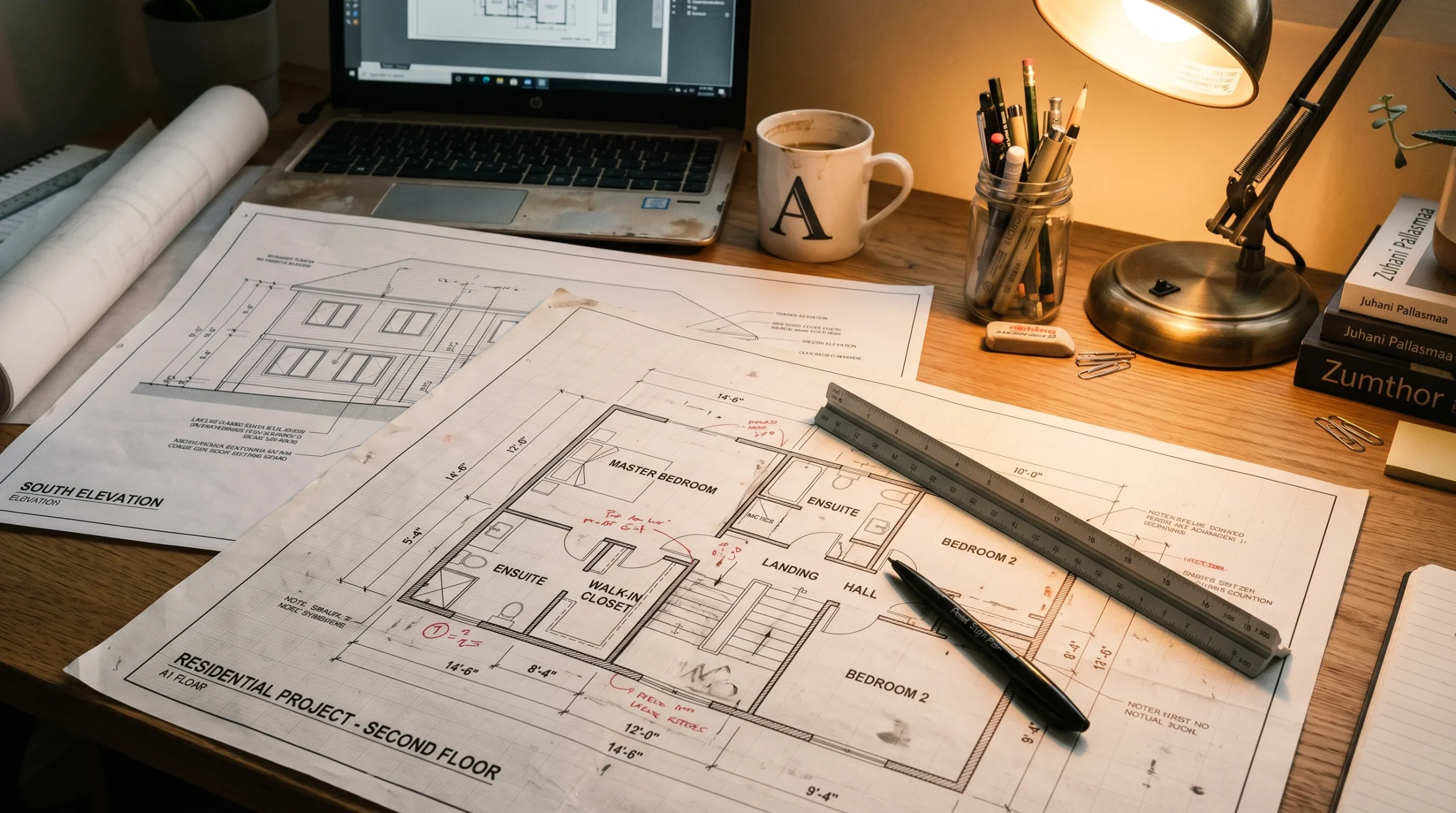
This page covers what we deliver, what we deliberately don’t, and how 2D drafting fits alongside our 3D visualization and animation work.
What we produce in a typical architectural drawing package
Most projects need a similar core set of sheets. The exact list depends on whether the work is residential, commercial, a renovation, or a new build — but the bones are usually the same.
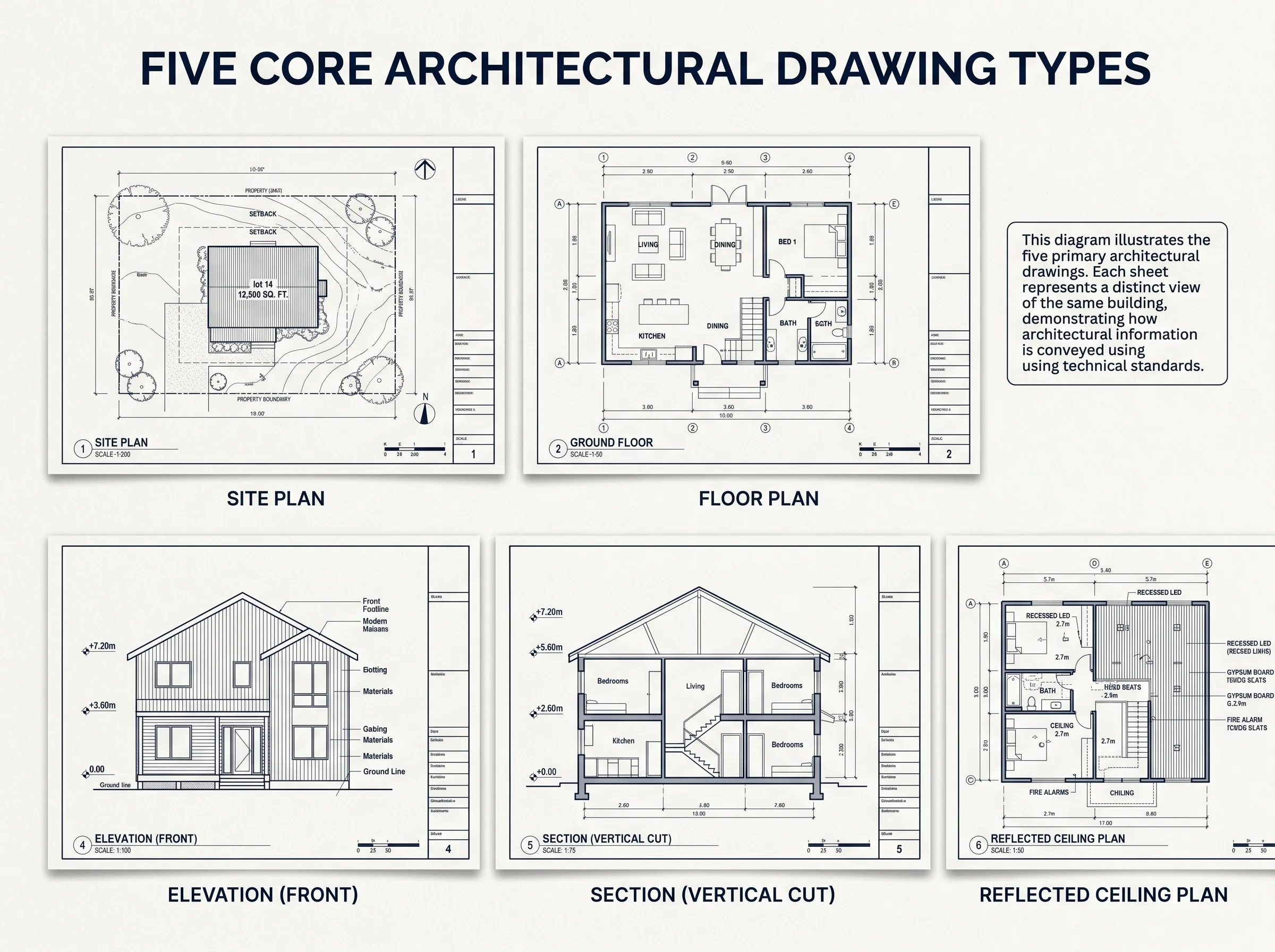
- Site plan — property boundaries, building footprint, setbacks, access, grading reference points, neighbouring structures where they affect the design.
- Floor plans — walls, doors, windows, fixtures, room labels, dimensions, with separate sheets for demolition and proposed conditions on renovation jobs.
- Reflected ceiling plans — ceiling layout, soffits, lighting positions, switching where it’s part of the design intent (coordination only, not engineered electrical).
- Elevations — every external face of the building with materials, openings, projections, and finish floor levels called out.
- Cross sections and longitudinal sections — vertical cuts showing floor-to-floor heights, lintel heights, headroom, structural depths where shown in the architecture.
- Interior elevations — kitchens, bathrooms, joinery walls, anywhere the client or contractor needs to see the millwork laid out flat.
- Door and window schedules — sizes, types, swing direction, glazing notes, hardware references.
- Finish schedules and material call-outs — floor, wall, and ceiling finishes by room.
- Detail drawings — kitchen cabinet sections, stair details, fireplace surrounds, custom joinery, any condition that needs to be drawn larger to be built correctly.
Files come out as DWG, DXF, and PDF. If the project lives in Revit, you also get a coordinated BIM model — which matters more on bigger jobs where consultants are exchanging models rather than 2D sheets.
What we don’t do — the scope boundary worth being clear about
This is where a lot of online drafting pages get vague, and we’d rather not. Our architectural drawing work is design-phase documentation. It supports the licensed professionals on your team — it doesn’t replace them.
- We don’t stamp or certify drawings. No engineer-of-record responsibility.
- We don’t produce structural calculations, foundation design, or steel sizing.
- We don’t do MEP engineering. Mechanical, electrical, and plumbing layouts we can coordinate spatially, but the engineering design comes from a licensed MEP firm.
- We don’t issue permit-stamped sets. Your local architect-of-record or licensed engineer signs and submits.
That’s the honest framing. Most of our drafting clients have a licensed professional on the project already and need a studio that can turn out a clean, well-organized drawing set on time. That’s what we do.
How we work on an architectural drawing project
Different clients hand us different starting points. A developer might send a napkin sketch and a survey. An architect might send a SketchUp model. A homeowner might send measured photos of an existing house. We work backwards from whatever’s there.
Existing conditions
For renovations, the first deliverable is usually an existing-conditions drawing. We take the measurements you’ve collected (or coordinate with a measured survey if needed) and produce accurate as-built floor plans and elevations. This is the baseline everyone designs against. Get it wrong and every later sheet inherits the error.
Design development drawings
Once the design intent is locked, we develop the drawings to a level where a contractor can price the work and a permit set can be assembled. Wall thicknesses get real. Window schedules appear. Sections cut through the actual conditions. This is the stage where most coordination issues surface — and where they’re cheapest to fix.
Construction-phase documentation
We produce the architectural sheets of a construction document set — the drawings that describe what’s being built, finished, and where things go. Structural, MEP, and code certification sheets are added by the relevant licensed consultants on your team.
Revisions and change tracking
Serious projects always have some change orders. We work in revision-controlled files, mark changes clearly, and issue clouded revisions where it helps the team track what moved between sets. Nothing fancy — just the discipline that keeps drawings useful three months into construction.
Tools and file formats we use
We’re primarily a Revit shop for architectural drawing, with AutoCAD used for projects where DWG is the only deliverable required or where the project was already started in CAD. The reason matters: Revit gives you a coordinated 3D model that produces plans, elevations, sections, and schedules from one source — change a wall in plan and the elevation updates. AutoCAD gives you a pure 2D drawing set, which is sometimes exactly what’s wanted.
- Revit — BIM-based drafting, coordinated drawing sheets, schedules, basic family content, model exchange via IFC where consultants need it.
- AutoCAD — DWG drafting, drawing cleanup, conversion of legacy sets, drawing standards alignment with your office layer system.
- Output formats — DWG, DXF, PDF, IFC where applicable, plot-ready sheets at the scales you need.
If you have an office standard — a CAD layer system, a Revit template, a title block — we’ll work in it. If you don’t, we’ll use ours. Drawings that look like they came out of one office tend to make everyone’s life easier.
Types of architectural drawings explained
This section is more useful for clients who don’t deal with construction documentation every day. Skip if you do.
Site plan
The overhead view of the property. Boundaries, building footprint, driveways, setbacks, easements, neighbouring structures. On urban projects this is where most of the planning conversation happens.
Floor plan
The horizontal cut through the building, usually taken at a height that catches doors and windows. Shows walls, openings, fixtures, furniture (sometimes), and dimensions. The most-used drawing on any project.
Elevation
A flat view of one external face of the building. Shows materials, window openings, projections, and vertical dimensions. Four elevations is standard for a rectangular building — more for anything that turns corners or steps back.
Section
A vertical cut through the building, showing the relationship between floors, ceilings, roofs, and ground. Sections are how you communicate floor-to-floor heights, lintel heights, headroom under stairs, and how the building actually stacks vertically.
Reflected ceiling plan
The ceiling, viewed as if you were looking down at a mirror on the floor. Shows ceiling layout, soffits, light positions, and any other ceiling-mounted condition that needs coordination.
Detail drawing
A large-scale drawing of one specific condition — a stair detail, a window head, a kitchen cabinet section. These are the drawings the carpenter actually reads on site.
Who orders architectural drawings from us
The work splits roughly into three audiences:
- Builders and developers who need a clean drawing set to take to subcontractors and pricing. Our builder-focused services page covers how drafting fits with the rest of what we do for construction firms.
- Architects who need outsourced production capacity — somebody to take their schematic and develop it through DD and CD, while they handle client-facing design and certification. Our architect-focused page goes into that workflow.
- Homeowners and small projects — kitchen renovations, basement build-outs, single-property renderings. Often paired with our interior design support and renderings.
When drawings need a 3D viz layer to actually communicate
Most investors won’t spend an hour decoding elevations and sections. Neither will most homeowners. That’s where 3D visualization earns its keep — not as a replacement for the drawings, but as the layer that lets non-technical stakeholders see what the drawings describe.
For a developer pitching off-plan apartments, a walkthrough animation often answers questions that a drawing package cannot. For a homeowner approving a kitchen renovation, a single interior render usually settles a week of back-and-forth about finishes. We’ve seen projects lose momentum simply because nobody outside the design team could understand the drawings.
If your project needs both — the technical drawing set and the visualization to communicate it — we can do both from one model. The architectural animation page covers the moving-image side of that.
How long does an architectural drawing package take?
Honest answer: it depends entirely on scope. A measured-survey existing-conditions drawing for a single-family house is one timeline. A full design-development set for a multi-family building is another. We scope each job individually and quote against the actual deliverable list rather than a per-sheet rate.
What helps a project move faster:
- Clear design intent before drafting starts — schematic locked, layout decided.
- An existing survey or accurate measured drawings for renovation work.
- A single point of contact on the client side who can resolve questions quickly.
- Office standards shared upfront if you have them — saves a round of layer cleanup.
Common questions we get
Can you produce permit-ready drawings?
We can produce the architectural drawing content that goes into a permit set — but it gets reviewed, completed, and stamped by a licensed architect or engineer on your team. We don’t stamp drawings and we don’t take engineering responsibility.
Do you work in our office standards?
Yes. Share your CAD layer system, Revit template, or title block and we’ll set up the project against it.
Can you take over a project that’s already started in AutoCAD?
Yes — we do a lot of drawing cleanup and continuation work. We can also migrate a CAD project into Revit when it makes sense, though we’ll be honest about whether that pays off.
Do you do 3D modelling and rendering too?
Yes. That’s actually the larger half of the studio. Drafting and visualization usually work better when they come from the same team, because the same model drives both.